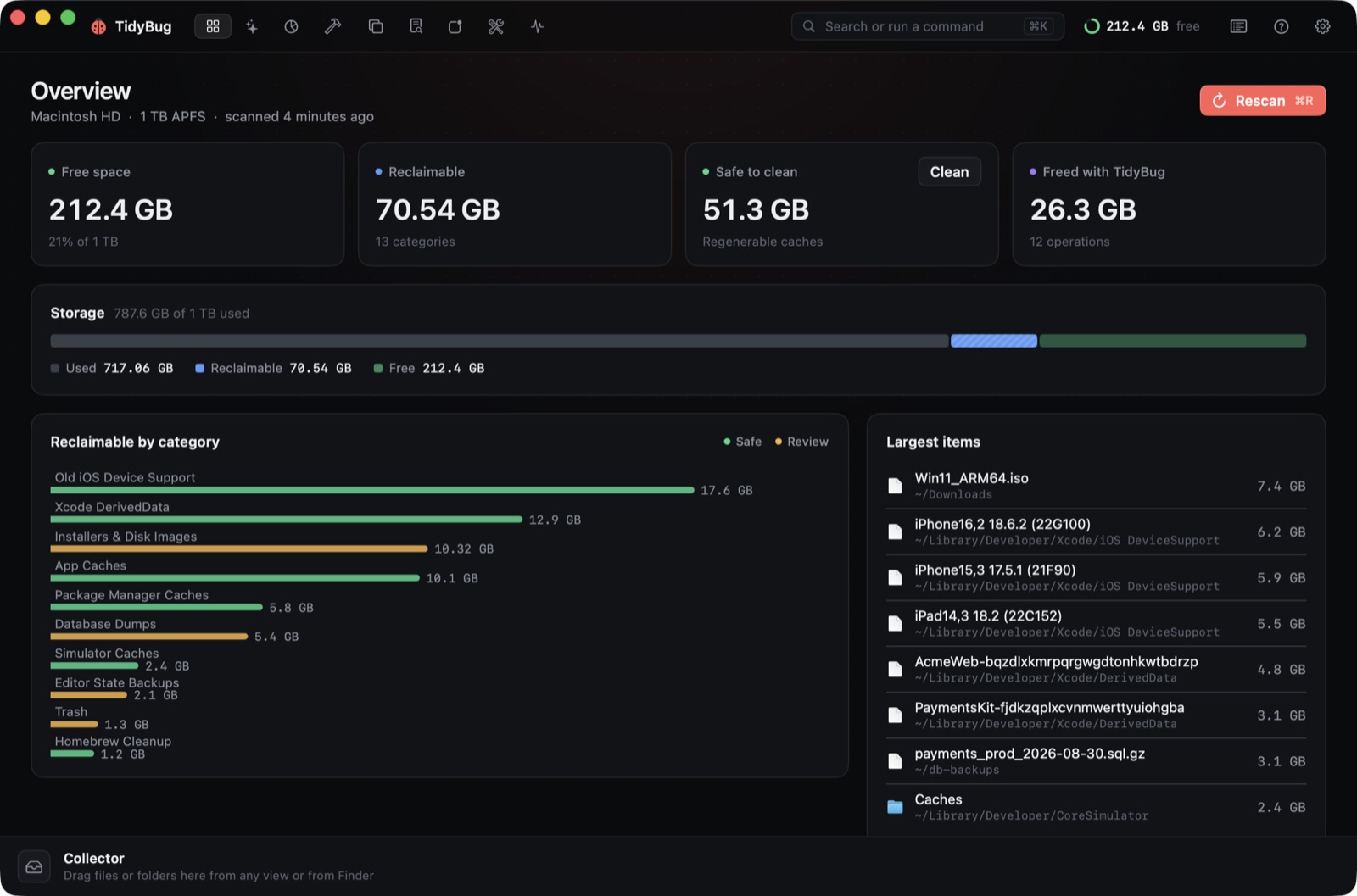
If you write software on a Mac, the biggest consumers of your disk space usually aren't your projects — they're the invisible piles your tools leave behind. Xcode DerivedData, iOS device support bundles, package-manager caches and Docker VM images accumulate silently over months, and they're safe to delete because every one of them can be regenerated. This post walks through each category and how to clear it.
Xcode DerivedData
Every build you run in Xcode writes intermediate products to ~/Library/Developer/Xcode/DerivedData. Each scheme and simulator configuration gets its own subfolder, and Xcode rarely cleans them automatically. The more iOS and macOS targets you've built over time, the more these accumulate.
You can delete the whole folder from Xcode's Settings (Locations tab) or from the terminal:
rm -rf ~/Library/Developer/Xcode/DerivedData
Xcode regenerates it on the next build. Nothing you've written lives there — it's all intermediate artifacts.
iOS DeviceSupport
The companion folder is ~/Library/Developer/Xcode/iOS DeviceSupport. Xcode downloads a symbol package for every physical device you attach and every iOS version you've debugged. After a few years of iOS development, this folder fills up with bundles for OS versions you'll never target again.
You can safely delete symbol folders for iOS versions you no longer support. If you attach a device running an older OS again, Xcode downloads the symbols fresh.
Package-manager caches
npm stores its cache in ~/.npm. Yarn keeps one in ~/Library/Caches/Yarn. pip writes downloaded wheels to ~/Library/Caches/pip. CocoaPods has its own at ~/Library/Caches/CocoaPods. These caches exist to speed up reinstalls — they're compressed copies of packages you've already fetched.
Their own tools clear them:
npm cache clean --force
yarn cache clean
pip cache purge
pod cache clean --all
Or you can let them grow. How often you clean depends on how often you run low on space.
Docker and OrbStack VM images
Docker Desktop and OrbStack store their VM disk images in ~/Library/Containers/com.docker.docker and ~/.orbstack respectively. The VM file grows as you pull images and run containers. Deleting containers and images inside Docker reclaims space within the VM, but the VM file itself doesn't shrink automatically — it has to be compacted or reset from the app's preferences.
Running docker system prune clears stopped containers, unused networks and dangling images. For the VM file, look for a "Compact disk image" option in Docker Desktop's settings or OrbStack's storage panel.
Old installers in Downloads
Every .dmg, .pkg and .zip you downloaded to install a tool stays in Downloads after you dragged the app to Applications. A few years of Mac setup leaves a folder full of installers for software you've long since forgotten about.
Filtering Downloads by file extension is the fastest way to find them. You can also sort by date added and work backward from the oldest.
Doing it by hand vs. using a tool
You can clean all of this manually. The commands above work, and they're transparent. A purpose-built tool is worth it for the same reason surgeons use checklists: the failure mode isn't ignorance, it's forgetting.
DerivedData is easy to remember — it's famous. The Simulators runtime folder, the Instruments traces directory, older Carthage build caches — those are less well known, and they accumulate just as steadily.
TidyBug is a free, open-source macOS app that scans nineteen places where developer junk accumulates. It pre-selects only items that can be regenerated, sends everything to the Trash by default, and shows you exactly what it found before anything moves.
The pre-selection rule matters. TidyBug doesn't suggest your code, your documents, your .git folders or your SSH keys. Protected paths — ~/Documents, ~/Desktop, iCloud Drive, Photos, .git, ~/.ssh and signed archives — are excluded from removal entirely. The Trash default means you can recover anything you didn't mean to include.
TidyBug's tools
There are nine of them.
Space is a sunburst map of any folder. Sizes are hardlink-aware, which matters for pnpm and other package managers that use hardlinks to avoid storing the same file twice. Without hardlink awareness, a pnpm store looks much larger than it is.
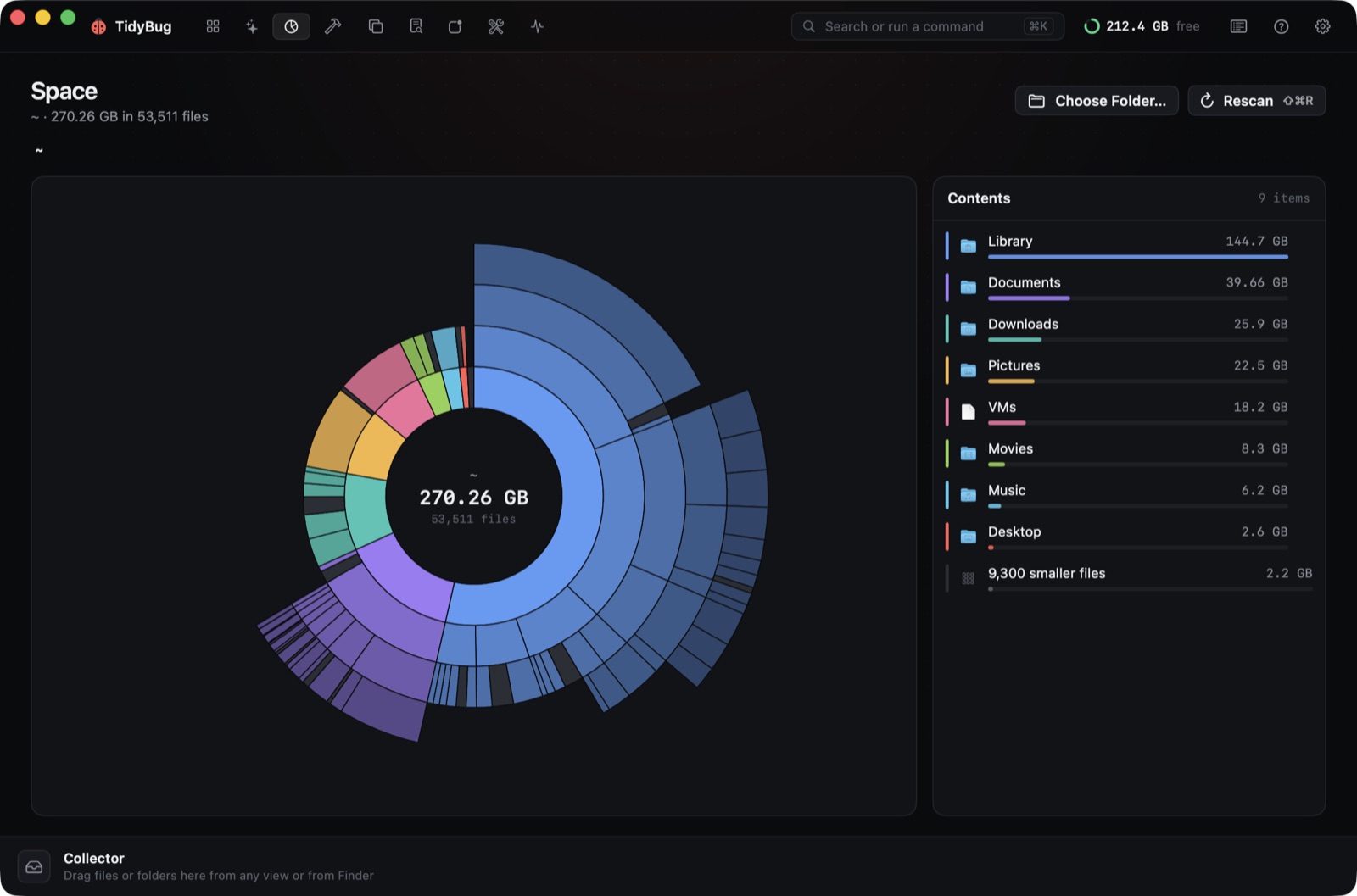 Space: a sunburst of the home folder (sample data).
Projects finds folders inside project directories that can be regenerated from a lockfile: node_modules, .venv, Pods, build output folders. Before flagging anything, it checks that a lockfile is present. node_modules next to a package-lock.json is safe to delete; without a lockfile, it stays off the list.
Duplicates finds exact matches by SHA-256 hash. For photos it also uses Vision to find visually similar images that aren't byte-for-byte identical.
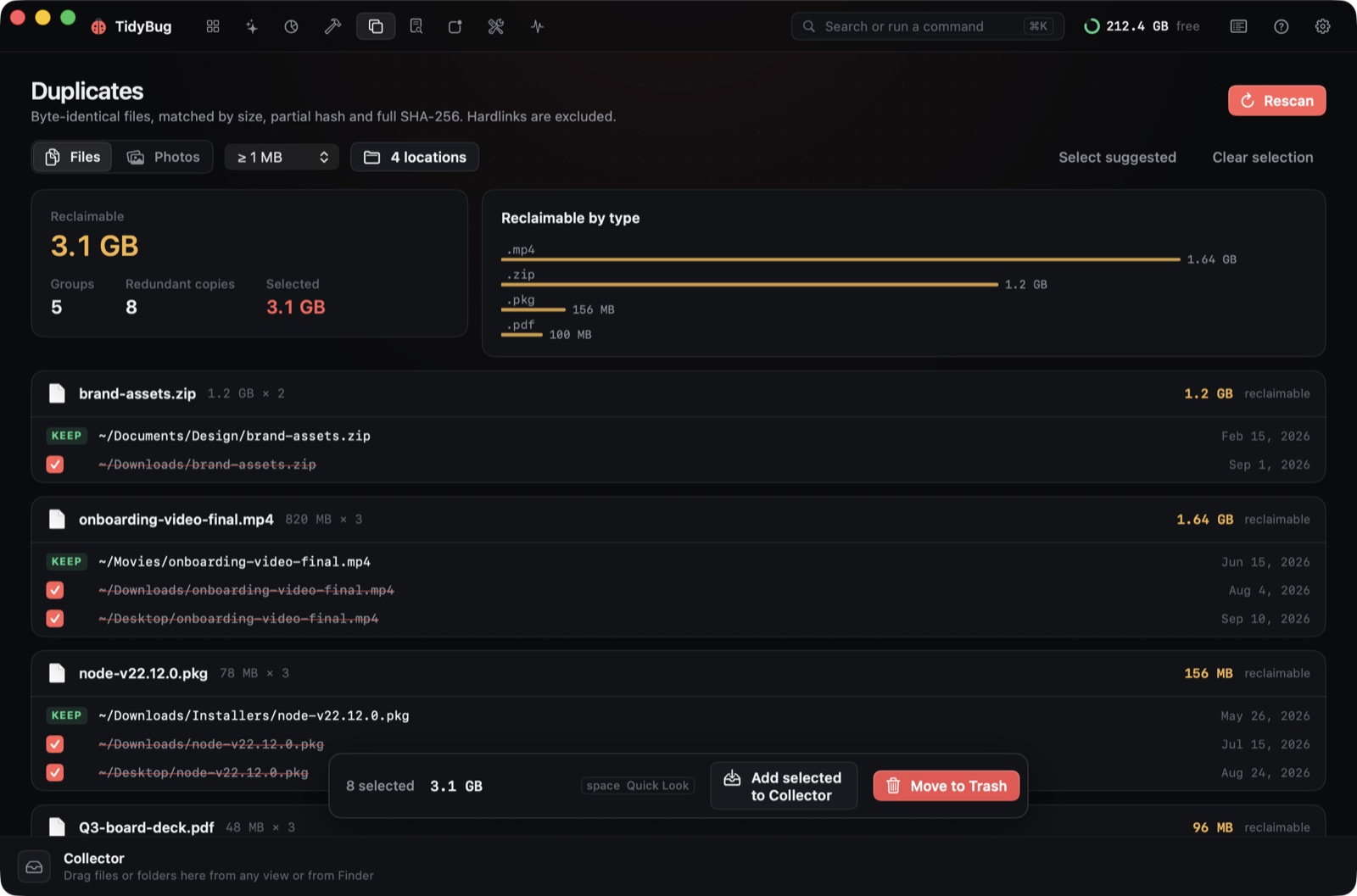 Duplicates: one copy kept, the rest selected (sample data).
Apps is a full uninstaller. Dragging an app to the Trash removes the bundle, but not its support files in ~/Library/Application Support, preferences in ~/Library/Preferences, or its caches. TidyBug finds those leftovers and shows them before suggesting anything.
Large & old files lists files above a size threshold that haven't been opened recently — a reading tool, not an automatic cleaner.
Optimize shows system maintenance tasks and displays the exact shell commands it will run before running them. No black box.
Monitor is a menu bar companion with a notch overlay that shows system health in real time.
Scanning is read-only. Nothing moves until you confirm. Every operation is logged to ~/Library/Logs/TidyBug/operations.jsonl so you can review what happened. The app has no telemetry.
The four things to clean first
If you've never cleaned a developer Mac, start with the four categories that compound fastest: Xcode DerivedData, iOS DeviceSupport, package-manager caches and Docker VM images. Each one is regenerable, each one grows without you noticing, and none of them belong in your backup.
TidyBug covers all four — and fifteen more locations — in one pass. It runs on macOS 26 on Apple silicon and Intel, and the source code is at github.com/xeveio/tidybug if you want to read it before running it.