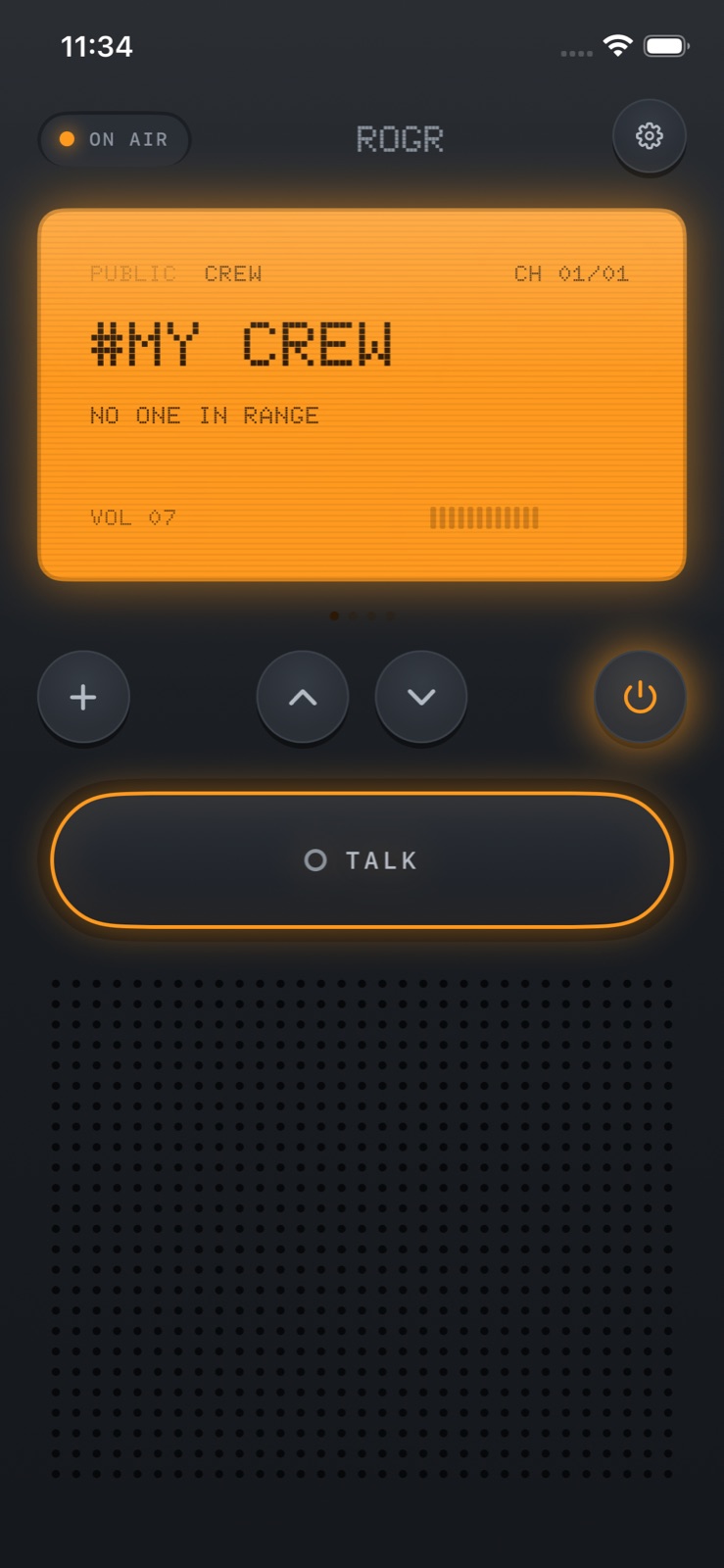
Rogr turns a pair of iPhones into walkie-talkies using the peer-to-peer Wi-Fi and Bluetooth radios that AirDrop already uses inside your phone. It needs no internet, no mobile data, no Wi-Fi network, and no account — you open the app and start talking.
How it connects
Modern iPhones carry peer-to-peer radio hardware that most apps leave unused. AirDrop uses it to move files between nearby devices without going through the internet, and Rogr repurposes the same infrastructure for voice. The connection is direct: device to device, encrypted, and off any network.
Range is tens of metres — more in open air with a clear line of sight, less through walls and crowds. The app doesn't hide this. The onboarding includes a radio check where you hold the talk bar and hear your own voice back, confirming the link is live before you rely on it. That's the right contract to set.
Rogr is useful in specific situations: a building where nobody has signal, an outdoor market, a festival, a ski run, a warehouse. For anything beyond tens of metres, you need a different tool.
Crews and open channels
There are two ways to talk.
Crews are private encrypted channels. You join with a code, and everything in the crew stays encrypted between the members. If someone steps out of range and misses a message, it's delivered when they come back in range — the app queues it and delivers it automatically, no action needed.
Open channels give you sixteen channels for talking with anyone nearby, without a code or account. Strangers appear with a callsign only, never a name. Audio only: no text, no video, nothing stored. Anyone can mute a caller they'd rather not hear. Open channels are for situations where you want to coordinate with people you don't already know but happen to be near — an event you're both at, a trail you're both on.
Bump-to-pair lets you swap crew codes by tapping phones together.
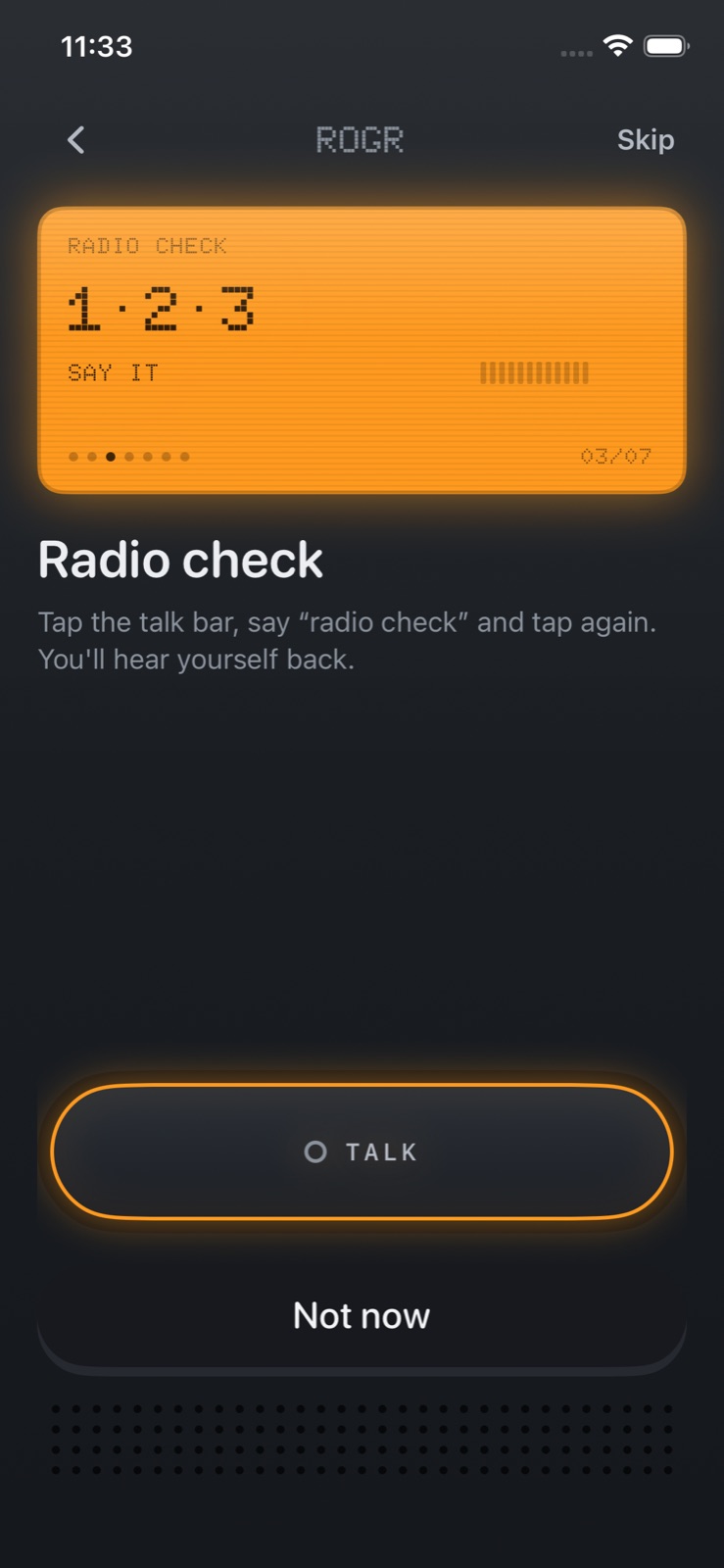 The radio check confirms your mic and local connection are both working before you rely on them.
Finding your crew
Once a group splits up, locating people is the harder problem. Rogr's Find feature uses two different tools depending on what your phone supports.
On iPhones with an Ultra Wideband chip — iPhone 11 or later, except SE models — Find shows a compass arrow that points directly at a crewmate at close range. UWB reads the radio time-of-flight between the two devices, which is precise enough to point toward a specific person a few metres away rather than just a general direction. It works the same way AirTags find their owners.
On iPhones without a UWB chip, or at distances where UWB doesn't reach, Find falls back to GPS and points the compass at their last known location.
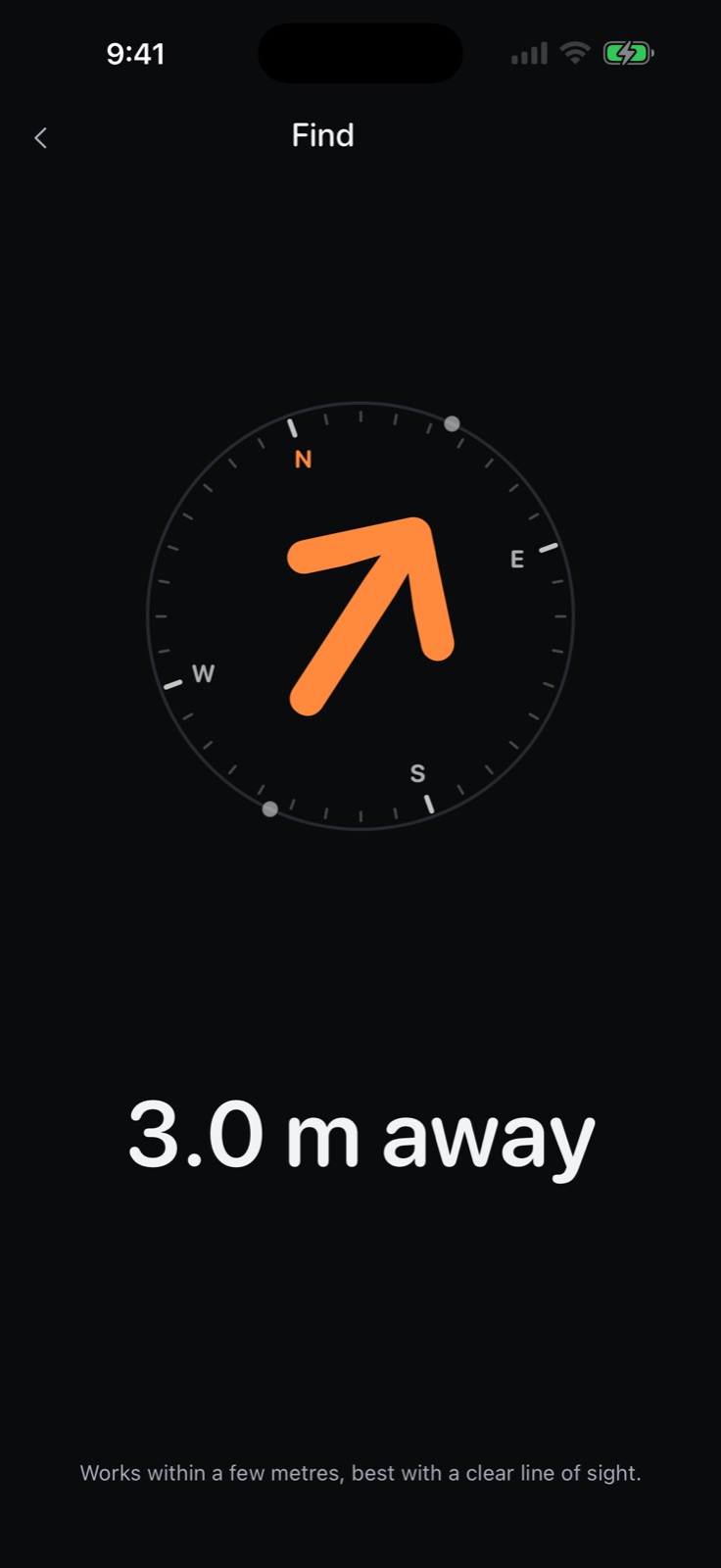 Find: UWB gives a direction arrow at short range. GPS takes over further away.
SOS
Holding the SOS button sounds an alarm on every phone in the crew and sends your location to all of them. It's for group situations where you need everyone to come to you immediately, without speaking. Rogr is clear that it isn't a safety device and doesn't monitor your position continuously. Within its range, SOS does what it describes.
Rogr Pro
Everything above — talking, crews, finding, and SOS — is free. Rogr Pro costs $4.99 once, not a subscription, and unlocks three additional radio shells plus the Military and Sci-Fi sound packs on every family device. The Classic shell and Classic sound pack come with the free app.
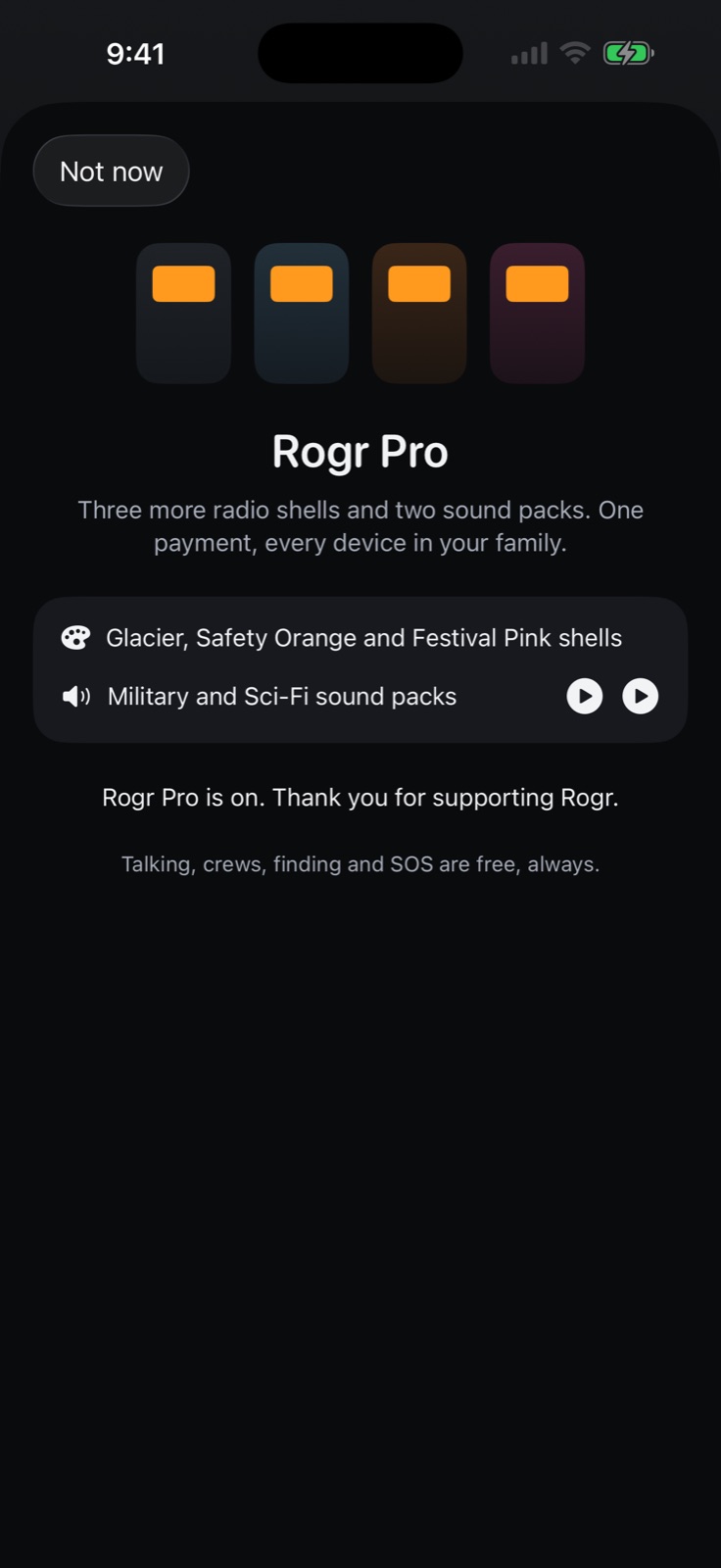 Rogr Pro: additional shells and sound packs, paid once, on every family device.
What it doesn't do
Rogr doesn't work on Android. Its range is tens of metres, not kilometres. It is not a substitute for a purpose-built radio in professional or safety-critical settings, and it says so.
It also has no account, no analytics, and nothing you say is stored or routed through a server. The encryption is per session. Controls are available on the Lock Screen and in the Dynamic Island.
When it makes sense
Rogr fills a gap that's easy to overlook: group push-to-talk voice when no infrastructure is available or wanted, from the phones already in everyone's pocket. A festival where data is crowded out. A building site with no signal. A ski run where you want to check in without a phone call.
It requires iOS 17 or later. Rogr is coming soon to the App Store. More at rogr.xeve.io.