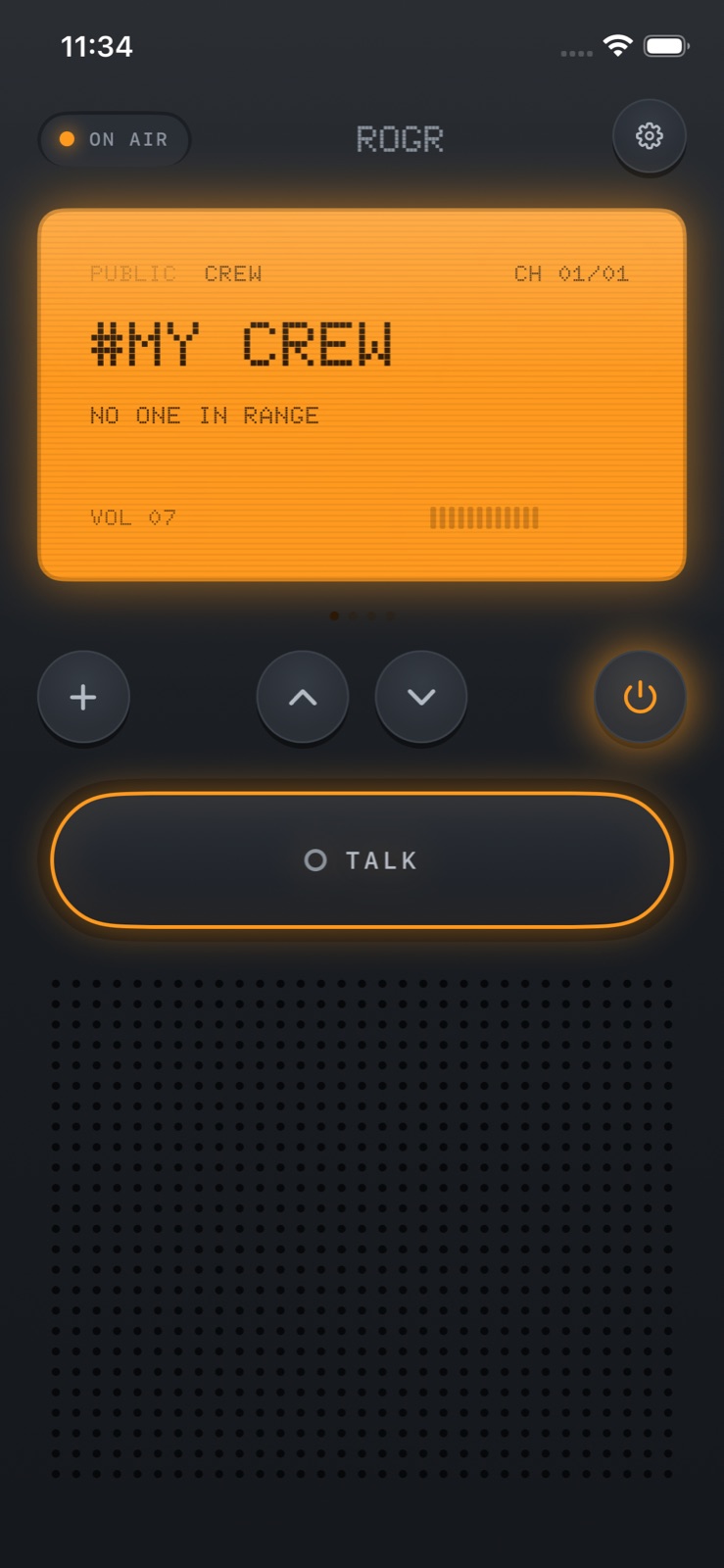
Rogr turns your iPhone into a walkie-talkie that works with no internet connection, no mobile data, and no Wi-Fi network. It uses the same peer-to-peer Wi-Fi and Bluetooth radios that power AirDrop — radios that every iPhone already has, and that work phone to phone without touching any network infrastructure.
The situation this solves is familiar: a ski slope where everyone is on different lifts, a music festival where the towers are saturated, a hiking trail where coverage drops an hour from the trailhead, a stadium where thousands of people are burning through the same cell towers. These are places where a group can scatter and ordinary messaging becomes unreliable. Rogr works in all of them.
How it works
AirDrop works by having two iPhones talk directly to each other using Bluetooth for discovery and peer-to-peer Wi-Fi for the actual transfer. No router, no internet, no Apple server — just two radios making a direct connection. Rogr uses the same mechanism. Voice, video, and location travel phone to phone, encrypted end to end.
This is different from apps that say they work "offline" but actually require a server to route audio. Those apps fail when the network fails. Rogr fails only when the phones are out of range of each other.
Range is tens of metres. More in open air and line of sight, less through walls and packed crowds. The app is transparent about this: it is a phone, not a two-way radio with an antenna. For a group on a hiking trail, tens of metres means you can talk to someone a few bends ahead on the path. For a festival, it means your immediate group, not someone at the far end of the field.
Crews and open channels
Rogr organizes voice in two ways.
Crews are private channels. You pair with people by bumping phones together or sharing a crew link, and the channel is end-to-end encrypted. Anything said in a crew goes only to the people in it. There is no account and no server, so there is nothing to breach: the session key exists only on the phones in the crew.
Open channels are for talking to strangers nearby. There are sixteen of them. They are voice-only, anyone nearby can join, and participants see only a callsign — not a name, phone number, or anything identifying. You can mute anyone on an open channel. These are useful when a scattered group wants to share a frequency at an event, or for coordinating with people you do not already know.
Finding people
On iPhones with a Ultra Wideband chip — iPhone 11 and later, except SE models — Rogr can point an arrow directly at a crew member at close range. It uses the same UWB radio that makes Precision Finding work with AirTags. The arrow shows direction and distance, and it works indoors and in crowds where GPS is not precise enough to tell you which tent someone is in.
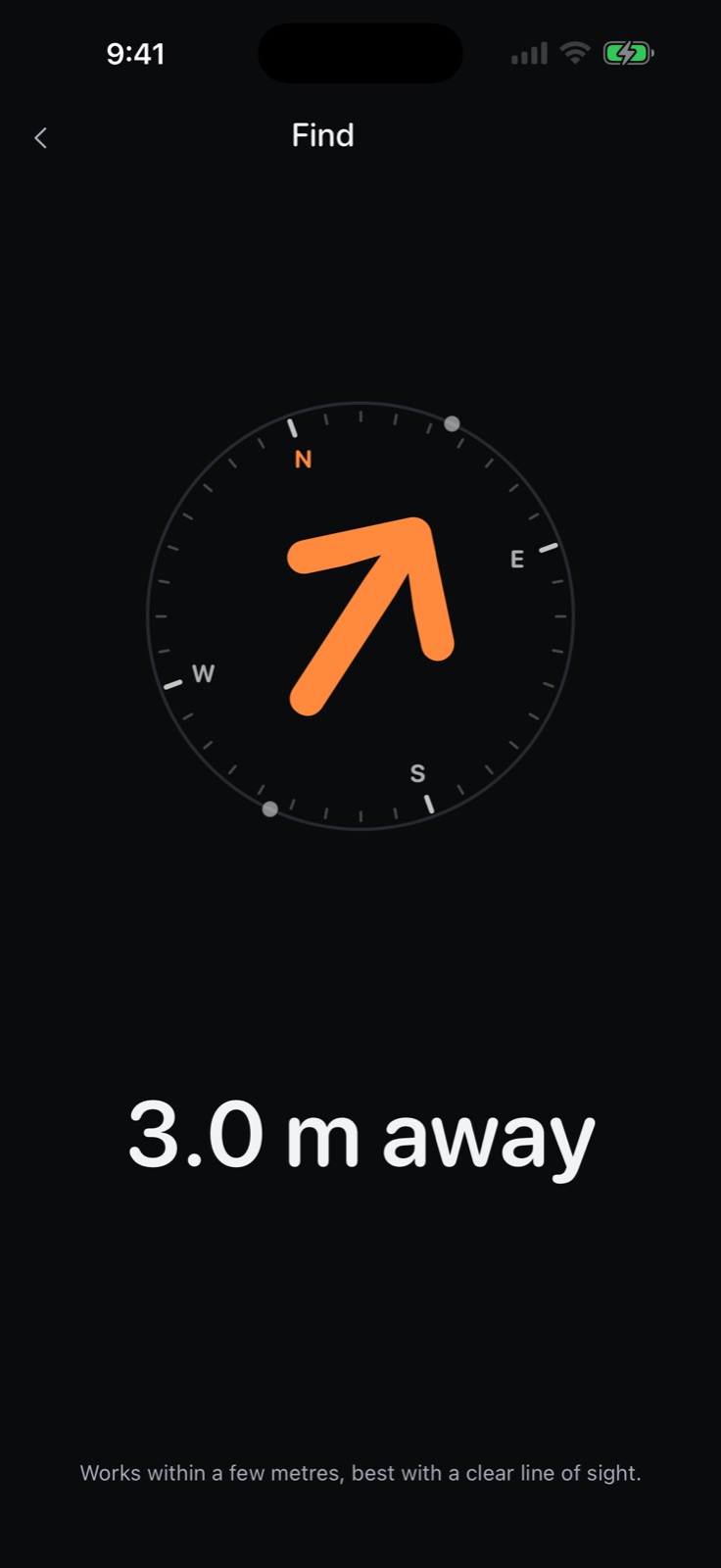 Find, with the Ultra Wideband compass pointing at a crewmate.
For longer distances, Rogr shows crew positions on a compass using GPS. This works on every iPhone in the crew, and tells you which direction to walk and roughly how far.
SOS
Holding the SOS button sounds an alarm on every phone in your crew and shows them where you are. This is the right tool for the moment when someone falls, gets separated, or needs immediate help from the group. The alarm is not subtle, and the location shows on every crew member's screen.
Missed messages — things sent while you were out of range — are delivered when you come back into range. So if a crew member sent an SOS while you were out of earshot, you see it when your phones reconnect.
Sound and controls
The app ships with three sound packs: Classic, Military, and Sci-Fi. The physical feel is there too — haptic feedback on every transmission. Controls live on the Lock Screen and in the Dynamic Island, so you can transmit without unlocking your phone.
Rogr Pro costs $4.99 once, not a subscription. It adds three radio shells (visual themes for the interface) and the Military and Sci-Fi sound packs. Talking, crews, the Find arrow, and SOS are all free.
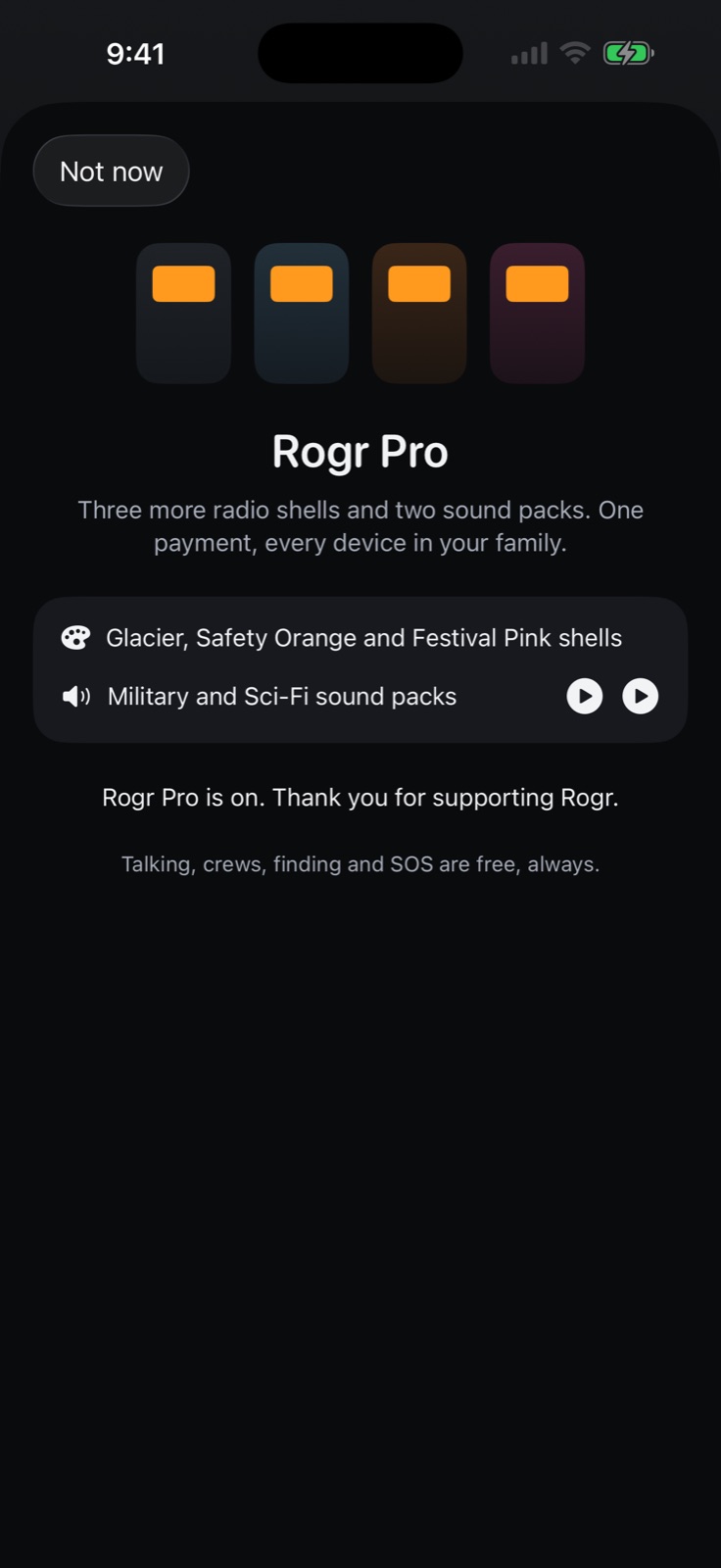 The Rogr Pro sheet: radio shells and sound packs.
What it is for, and what it is not
Rogr is for coordinating a group when you have no signal. It covers the practical cases well: a hiking group on a trail with no coverage, a festival crew trying to stay together, a ski day with friends on different runs, a family camping weekend. It does not have the range of a dedicated two-way radio with a proper antenna, and the app says so. If you need to talk to someone a kilometre away through dense terrain, you want a radio, not a phone app.
For everything inside a typical group radius — close enough that you would realistically wait for someone to walk over, but not so close you can just shout — Rogr covers it reliably, without an account, without a server, and without any infrastructure that can fail.
Rogr is coming soon to the App Store. Learn more at rogr.xeve.io.