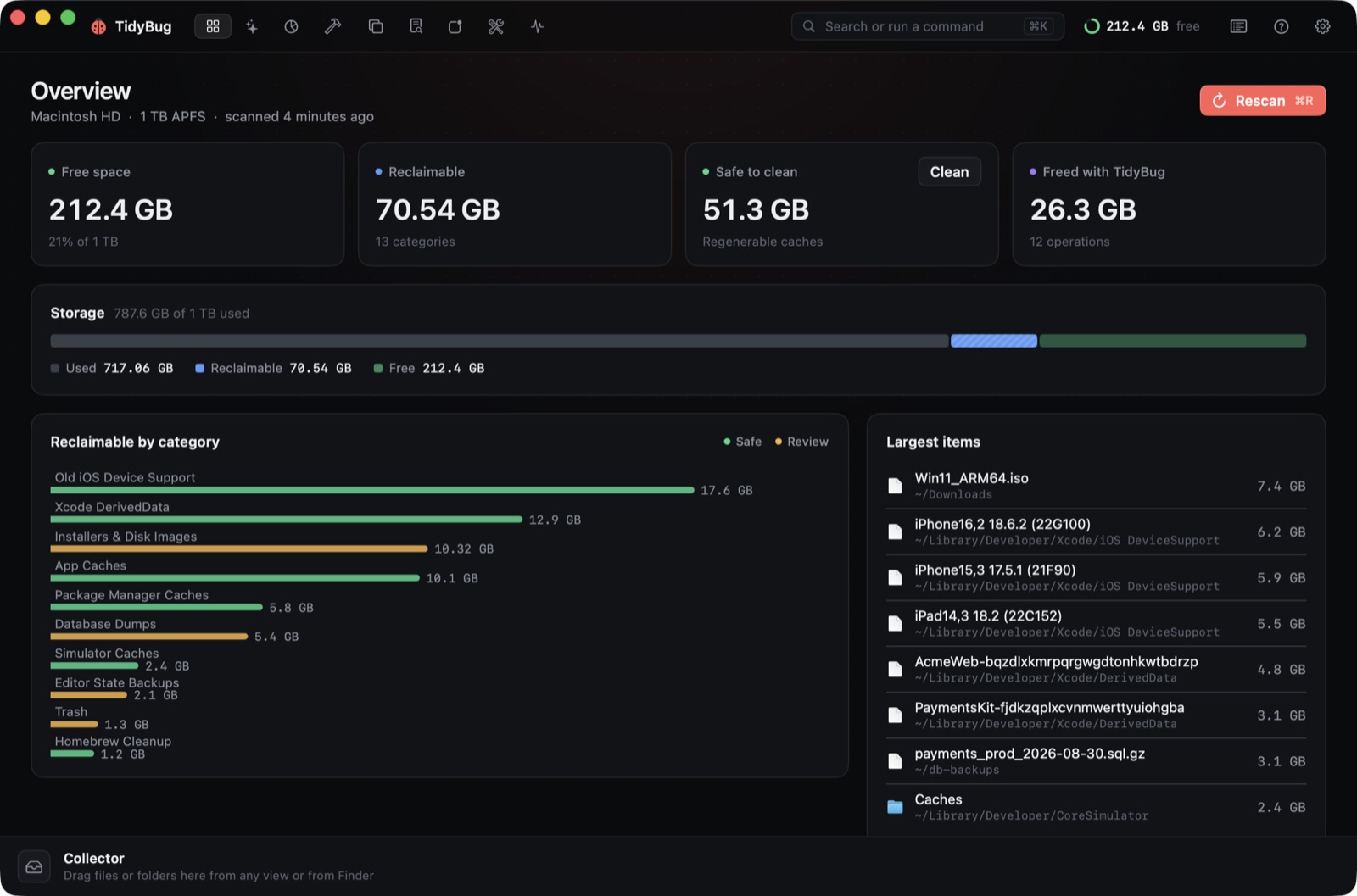
TidyBug was planned, built, notarised, and pushed to GitHub as open source on the same day. That day was 13 September 2026, and it was a single Claude Code session. Here's how that went, told through the prompts.
The brief
The starting point was a Mac disk cleaner with a real UI. Two existing apps shaped the idea: DaisyDisk for the sunburst chart, and Mole, an open-source menu bar monitor, for system stats. The first prompt gave Claude Code a plan to work from:
in [redacted] i have a couple of sessions where i have cleaned up space with the help of claude code, i want to build a nice ui with animations etc , name of the app is tidybug . you can use daiskydisk etc for ui inspiration if required but iwant a much more modern application if possible . create a plan and then work on it .you can also take a look at https://github.com/tw93/mole , for inspiration if required, let's also add a menubar feature
Claude Code wrote a plan and then executed it: a SwiftUI app with an overview dashboard, a Space tab with a sunburst of the file system, and a menu bar extra. It was functional and it felt flat.
"This looks like a spyware app"
The second build looked like a lot of early-stage apps: a gradient, a sidebar, and a vague sense that the whole thing might try to sell you something. The prompt made the problem concrete:
it's looking too generic,i wanted you to thin out of the box have nice mascot , animoations etc, not this simlpe gradient, this looks like a spyware kind of app freemium weird feeling , nothing professional i feel with all the sidebars and stuff, i also want to add duplicate file deteciton, duplicate imge detection etc, i want a nice onboarding flow asking for permissions etc and everything, this app should win app of the year award level design and use all swift features etc
What came out of that: a ladybug mascot, an animated six-step onboarding wizard that walks through each system permission before asking for it, and duplicate detection using SHA-256 checksums for files and Vision (the on-device framework that ships with macOS) for photos.
The onboarding was the most consequential change. macOS apps need several permissions — Full Disk Access, Accessibility, the local network — and most apps ask for them at the moment the feature trips the entitlement. That works, and it also feels like being interrupted. The wizard explains each one before any scan begins, so the user knows what's coming.
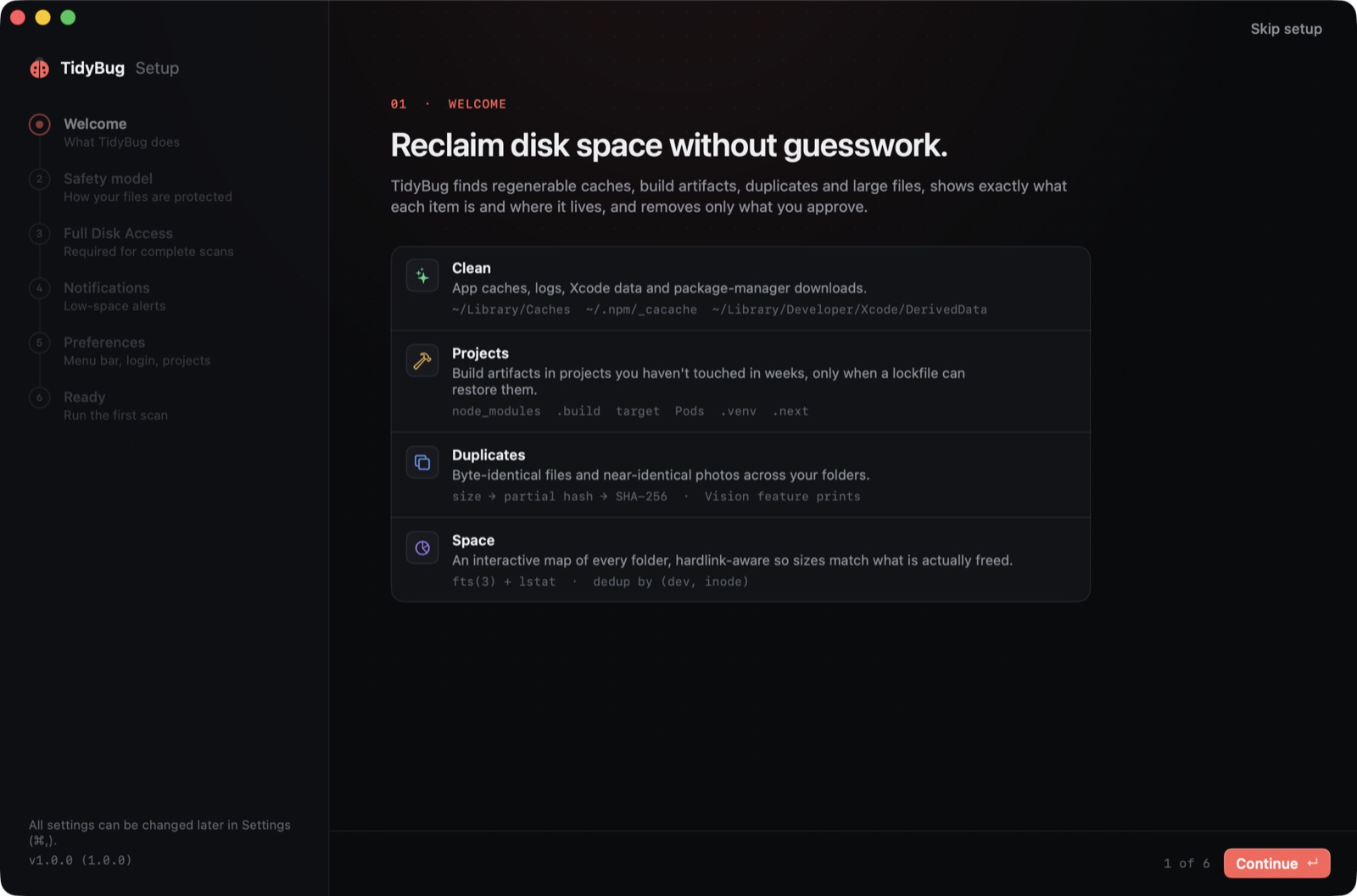 The onboarding wizard, step 1 of 6, before any permissions are requested.
The Collector
DaisyDisk has a staging area: you drag things into a row at the bottom of the window and they wait there until you're ready to send them to Trash. Nothing goes anywhere until you say so. That idea was worth taking directly.
this looks little better, i want same feature like daisydisk where i can drag and drop to a temporary trash and then delete all . can we add that too . also add a nice onboarding wizard on how to use it
The result is the Collector: a strip that runs across the bottom of every tab. You can switch between Space, Duplicates, Large Files and back again, adding items to the Collector as you go. When you're done browsing, you review what's staged and clean in one shot.
Items go to the Trash by default, not deleted outright. Protected paths — ~/Documents, ~/Desktop, iCloud Drive, Photos, .git, ~/.ssh, signed archives — never appear in the Collector at all. If you want to go further, the Collector has a permanent-delete toggle, but the default is reversible.
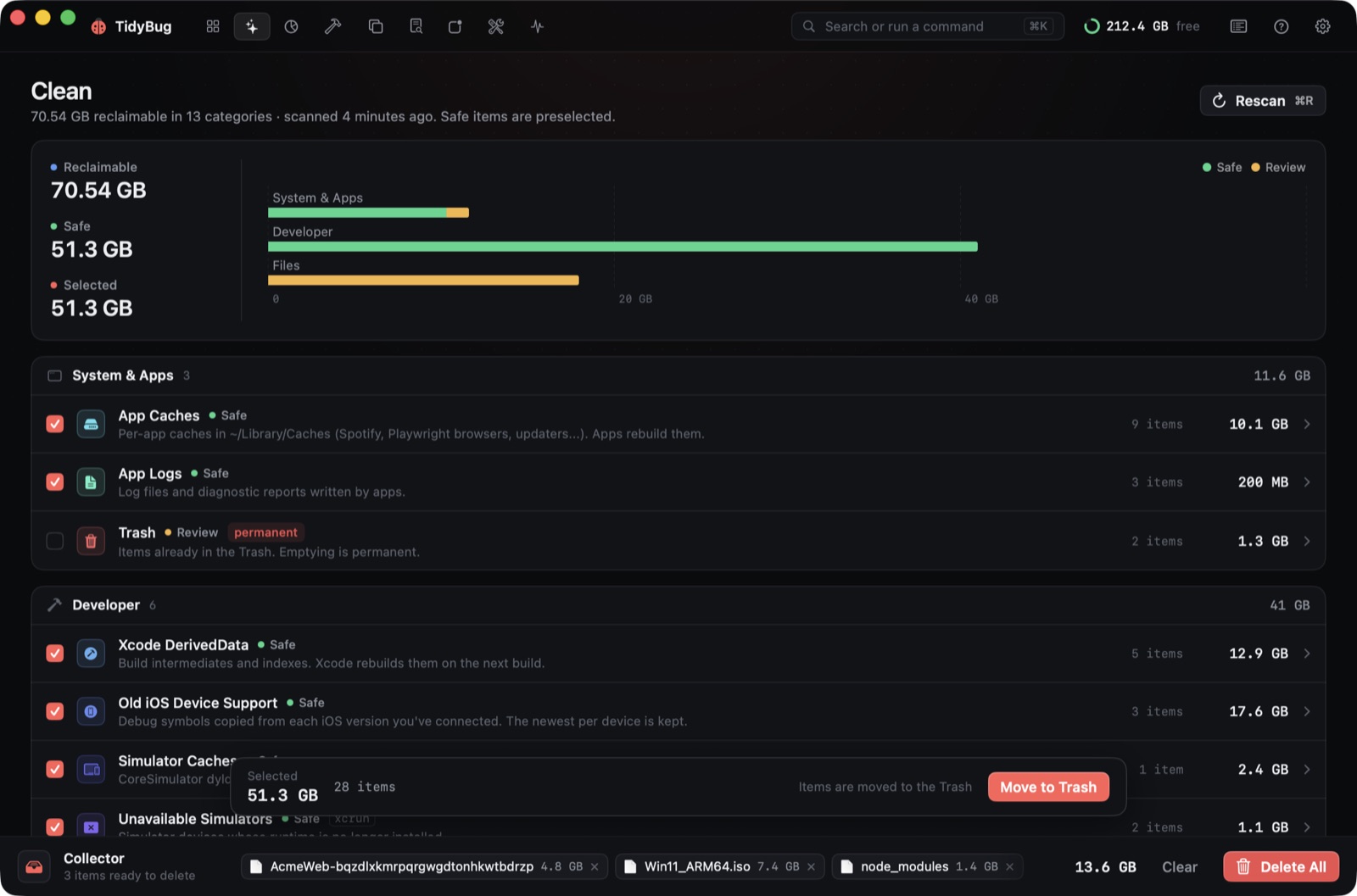 The Collector with three items staged across different tabs.
Optimize, Monitor, and a CPU bug
The Optimize and Monitor tabs came from a four-word prompt: "can we add features like mole ?" Claude Code read the Mole source, mapped its approach, and built an Optimize tab — DNS flush, Launch Services rebuild, system log cleanup, and other maintenance utilities — and a Monitor tab with live system charts.
The Monitor had an immediate problem. The charts redrawed on a continuous timer regardless of whether the underlying data had changed, and running them cost 76–91% CPU. The fix landed the next day: the charts only redrawed when their data changed. Monitor CPU dropped to 11–15%.
That figure is in the commit history, not in the product. TidyBug doesn't report how much faster it makes your Mac; that kind of claim tends to age poorly.
Open source, same day
The last major session prompt:
create a git repo and push it, we are making this app opensource
Before anything went up, Claude Code checked the working tree for secrets. Nothing was found. The repo went to GitHub as open source under GPL-3.0, and the marketing site followed the same afternoon. An auto-update pipeline went in alongside it, using the same Sparkle-based approach the studio's other Mac apps use, so future versions would reach existing installs without any action from the user.
TidyBug scans nineteen places junk hides — Xcode DerivedData, iOS device support files, package manager caches, forgotten installers, and the Docker and OrbStack VM — and pre-selects only what can be regenerated. It has no telemetry.
The whole thing, from the first prompt to the first commit, happened on a single day. Some parts of it were rough (the first two builds, the Monitor CPU regression), and some parts were fast (the Collector, the onboarding). What the session shows is roughly what a one-person sprint looks like with Claude Code on the toolchain: a lot of iteration, prompts that are blunt about what's wrong, and the willingness to throw out the first version entirely.
Download TidyBug or read the code at github.com/xeveio/tidybug. It runs on macOS 26 on Apple silicon and Intel, and it's free.