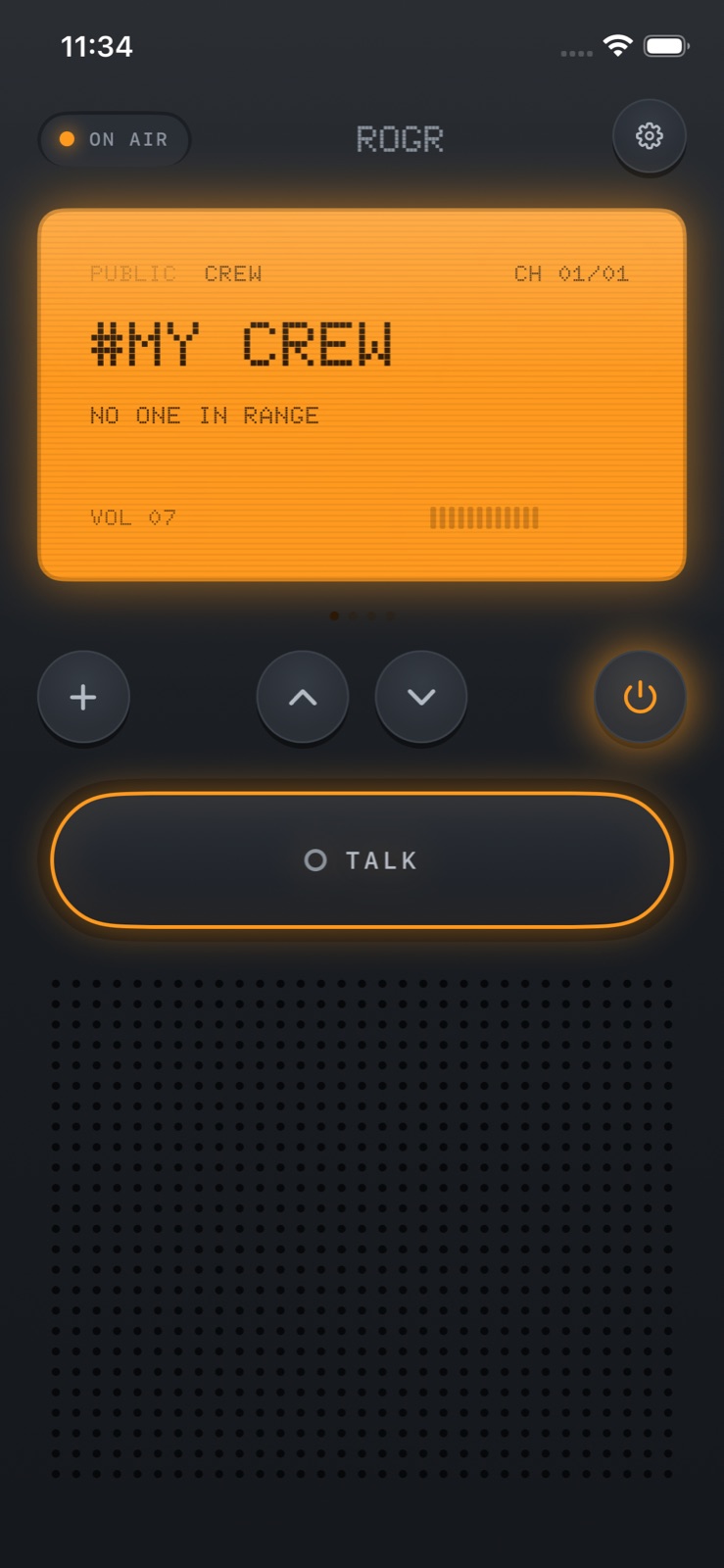
After two days of work, Rogr's audio pipeline was running: peer-to-peer transport, floor control so only one person transmits at a time, and Ultra Wideband direction finding. The transport layer was invisible when it worked. What people notice is the feel—and building that took its own day of prompts.
A push-to-talk button that produces audio is functional. A push-to-talk button with a click on press, a static burst on release, a needle that jumps when someone speaks, and volume that bumps at each step is a walkie-talkie. The distinction is tactile. This is the story of how we built that part.
Starting point: a functional but flat UI
By the end of September 12, the redesign plan had landed. The big prompt—asking for an app that felt like it could win Apple App of the Day—produced a new visual language: the Doto LCD font, hard keys, a speaker grille, a talk bar. The look changed. The feel had not.
Day two opened with the talk bar still at the top of the screen, volume buried in the settings menu, and no visual feedback on the channel when someone was transmitting.
The VU meter
The first tactile prompt of day two was this:
when someone talkign can we add some meter ? vu meter or something ? also location tracking, find screenshots are not thre? with compass etc?
It bundled several requests—the find screen and compass were a parallel thread. The part that shaped the radio feel was the meter question.
A VU meter measures the level of an audio signal. The choice was a needle meter rather than a bar graph—analog rather than precise, because voice doesn't need to show a value, it needs to show that something is happening. A needle at rest means silence. A needle moving means someone is transmitting.
The meter is anchored to the speaker grille. The grille is a visual element in the radio design, but when audio is live it becomes a display: the lines pulse in sync with the voice level. The needle is above it. Together they give you an at-a-glance read on channel activity even when the phone is at arm's length.
What this solved: in the earlier design, the only signal that someone was transmitting was audio. In a loud environment, you might miss it entirely. The VU meter adds a visual layer that works without sound.
Moving the talk bar
The next prompt addressed ergonomics:
I think talk button we can keep in the bottom so it's easier to use with one hand . Also volume increase decrease make it doable from our intuitive walki ui instead of from the settings
The talk bar moved from the top of the screen to the bottom. The second part of that prompt—volume on the radio face rather than in settings—introduced the next question: how should a software volume control feel?
Volume with detent haptics
A slider is the obvious answer. A slider looks nothing like a radio. The prompt that determined the interaction model was this:
Drag up to turn it up and down to turn it down, with a detent click and tick for each step and a bump at the ends. And any thing else make nice haptic vibration intuitive to make it feel like a walkie talkie
Detent haptics simulate the feel of a mechanical stop. On a physical dial, a detent is a small notch the dial clicks into at each position—you feel each step, and you feel when you have reached the end. iOS's haptic engine can produce a short tap for each step and a heavier one at the limits.
The implementation mapped the gesture to the iPhone's hardware plus and minus keys as well as the drag gesture. Each step produces a selection-changed haptic feedback call; the endpoints produce a heavy impact call. The result is a volume control that communicates its range without a progress bar. You can reach the maximum by feel, the same way you would turn a physical knob to the stop.
What this achieves is something a slider does not: the impression of operating hardware. The iPhone's own ring/silent toggle uses the same principle—a physical switch where the click is the confirmation. Detent haptics carry that logic into a software control.
Radio sounds
The timeline for this day also includes procedural radio cues and narrowband audio. These are the audio side of the same problem.
Narrowband audio gives the voice transmission its radio texture. Real two-way radios transmit over a limited bandwidth, which compresses and colours the sound in a recognisable way. Rogr applies this profile to transmitted voice.
Procedural cues are synthesised on device, not recorded: the click on press, the static burst on release, the tone when someone joins the channel. Each is tied to a system event so there is no fixed latency to slip. The sounds fire on the event, not after it.
The onboarding radio check
None of the haptic feedback is useful if it arrives as a surprise. Rogr's onboarding ends with a radio check: hold the button, hear yourself back. The step confirms that the microphone and speaker work before the user goes anywhere. It also introduces the hold-to-talk gesture in the one moment where there is nothing else to do.
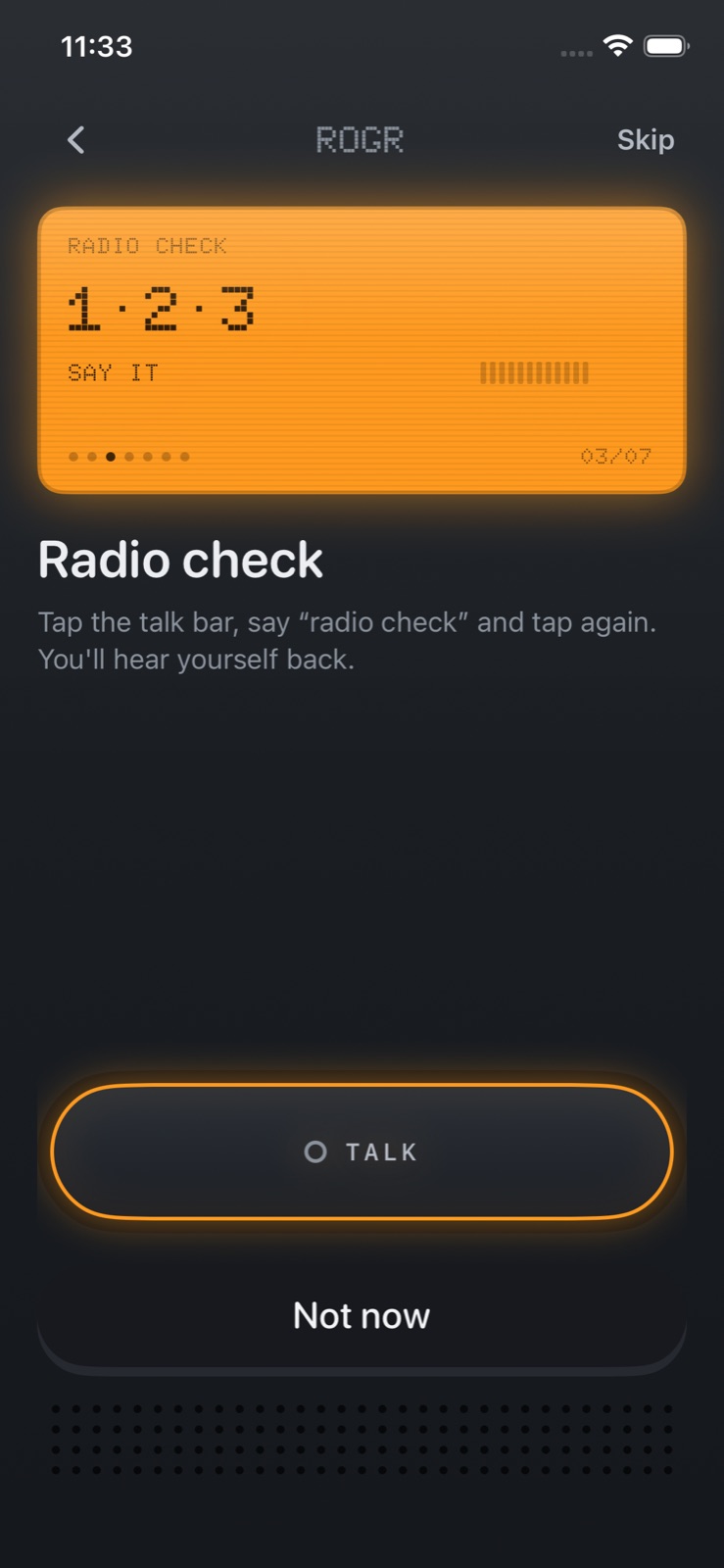 The radio check in onboarding: hold the button and you hear your own voice back.
This is also where the haptics appear for the first time. The hold produces a click. Release produces a static burst. By the time the user leaves onboarding, they have already felt the complete interaction loop once.
What the work cost
The transport, the visual redesign, and the feel were three distinct phases. The feel work was a day of prompts about sensation rather than function. "With a detent click and tick for each step and a bump at the ends" is a specification of how something feels, not what it returns. It is also the kind of detail that separates an app from a prototype.
Rogr is coming soon to the App Store. More at rogr.xeve.io.