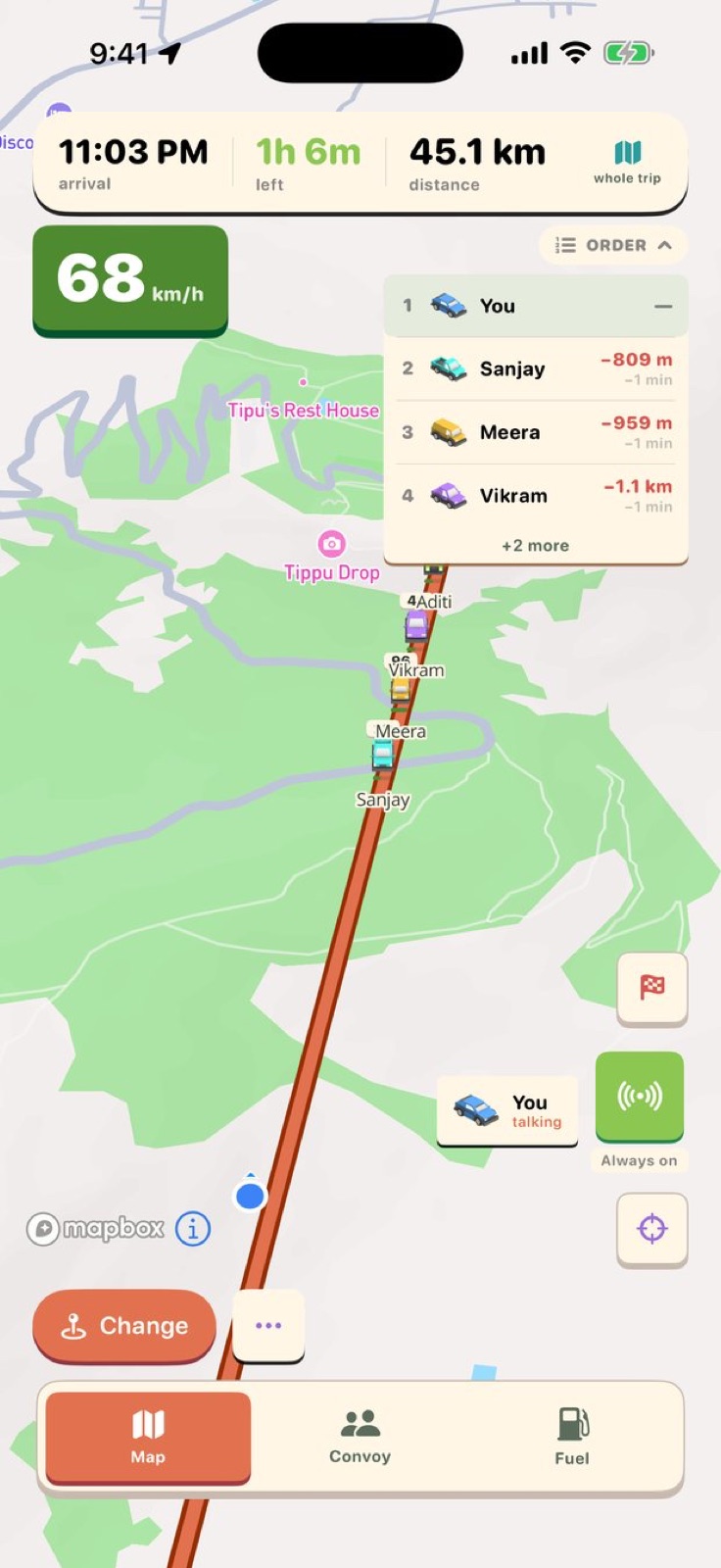
The walkie-talkie was item four in DriveStream's first prompt. It took longer to get right than any of the other three items, and the problems it ran into were not the obvious ones.
What the spec said
DriveStream started as a single list of four things. The last item was:
walkie talkie feature , either ptt or always on , with carplay feature since its going to be for car primarily .
Push-to-talk or always-on, with CarPlay support. That is the complete spec. One sentence, but it named the two real constraints: the audio had to work through CarPlay, and it had to work while the driver was watching the road, not reaching for a phone.
The first sessions concentrated on the map and navigation. The walkie-talkie came back a few days later, once LiveKit had been wired into the project and a push-to-talk session was running between convoy phones. It produced a working feature in one session.
Working, in this case, meant transmitting audio. Using it on a real device in a real convoy exposed the first problem almost immediately: the driver transmitting could hear other cars, but the other cars could not hear the driver. The fix was in how the app configured its audio session when the push-to-talk button was pressed — iOS microphone access, in a convoy where navigation audio already has a session, requires more explicit session management than a test run on a single phone shows.
That class of problem was going to come up again.
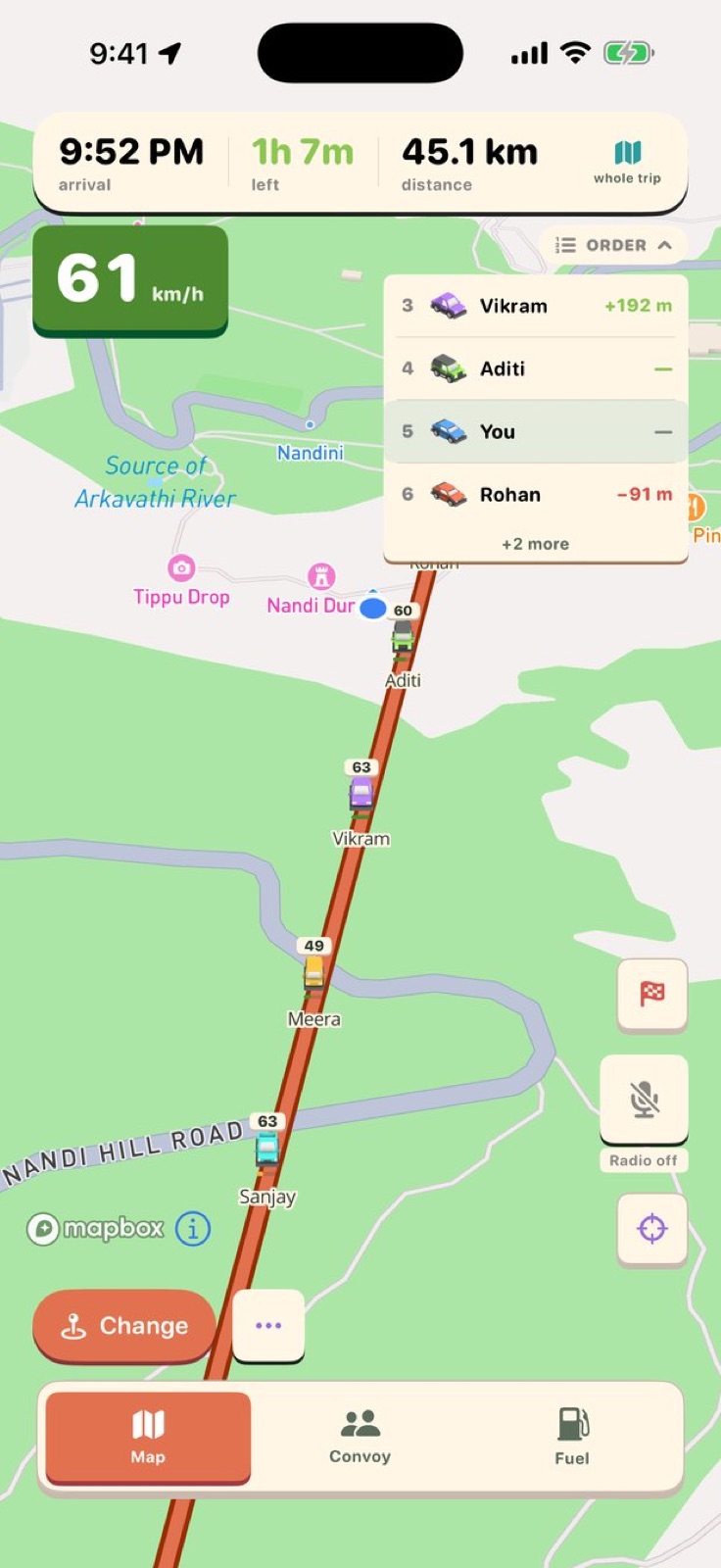 The convoy map. Each car shows its speed in real time.
The music problem
A week after the one-way audio fix, the walkie-talkie came up again:
I want to make the walkie talkie little better . Now when I use it it stops playing music is it possible to make it work without stopping music ?
A walkie-talkie that pauses your music every time you transmit is annoying. A walkie-talkie that pauses your music and does not restart it is worse. On a long drive with the radio on, ducking the audio briefly for a transmission is acceptable; cutting it off is not.
The fix involved understanding how iOS categorises competing audio sessions: which priority a push-to-talk session gets, which category CarPlay audio falls into, and how the system resolves the conflict when an app requests mixing rather than replacement. The session that fixed this also addressed a related behaviour — the music not restarting after any call ended in other apps — which turned out to share the same underlying cause.
Its own screen
The radio had been embedded in the convoy map: a button, visible, but small. One prompt named what was wrong with that:
can we keep walkie talkie in a seperate page / tab ? so that its easier to udnerstand, currently its too small hard to notice and press ,
The problem was not only the button size. A walkie-talkie is a mode: you go into it, you use it, you return to the map. Embedding the button in the map conflated two different things — monitoring the convoy and talking to it. Giving the radio its own screen let it have space to be understood: a prominent push-to-talk area, audio feedback, a clear indicator when you or anyone else is transmitting.
The convoy map kept a small active indicator, so spatial awareness is not lost while talking. But the act of transmitting moved off the map.
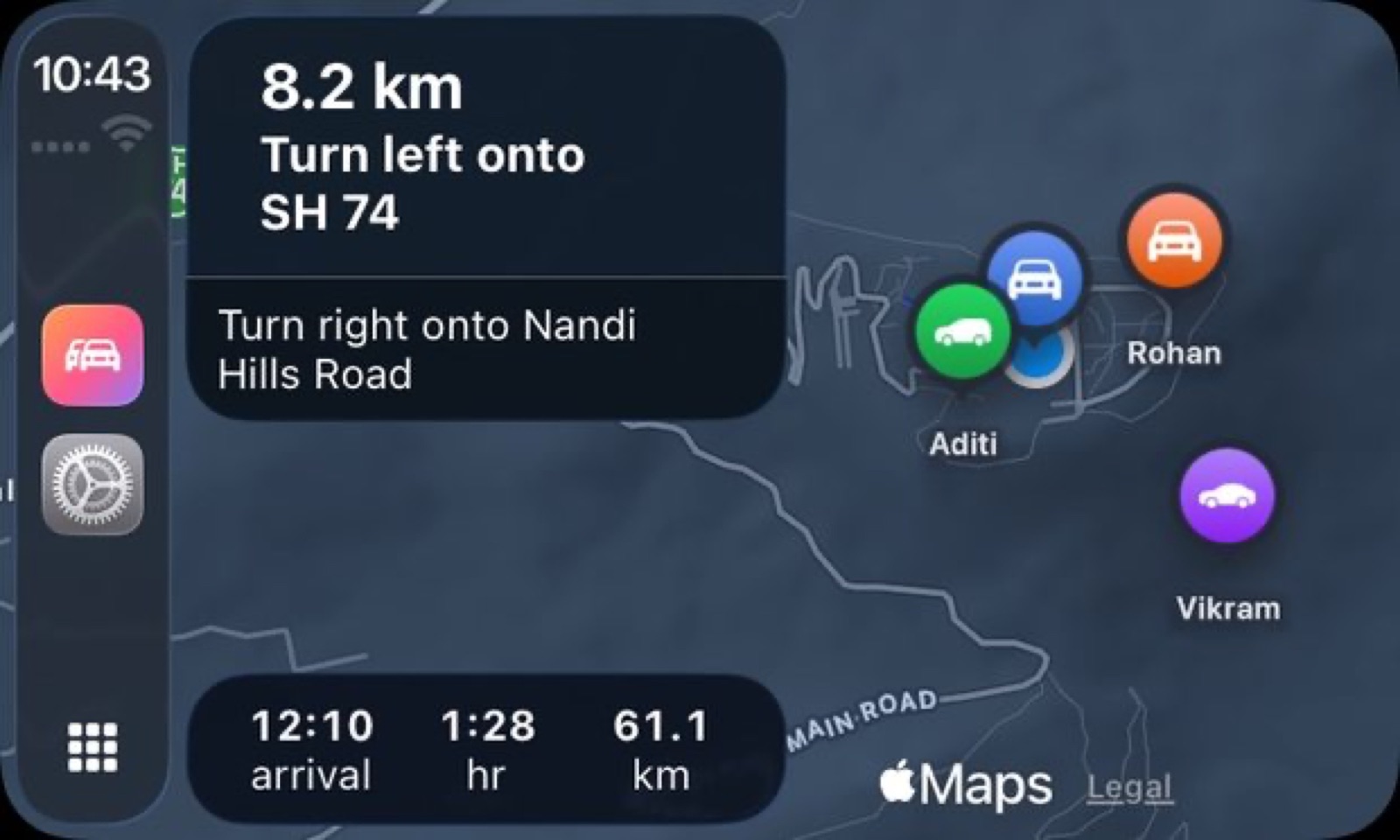 CarPlay keeps navigation and convoy positions on the same screen.
The locked phone
The session after the radio got its own screen found a different class of problem:
walkie talkie is not working, can you try to find out why ? also usually when in other apps after using call music will auto play but not in our app, can you check why
Two separate issues in one message. The first was a silent crash: the radio would appear to work — the button pressed, the UI responded — but nothing was transmitted. The second was the music restart issue, now reliably reproducible.
The crash traced to how the LiveKit session was managed when the app moved to the background. A phone sitting in a car mount with the screen off is in the background from iOS's perspective, even when it is running navigation. That is exactly the configuration where push-to-talk matters most: the driver is not going to pick up the phone to use the radio; they reach the button in CarPlay or press it while the screen is off. The fix kept the audio session alive and the LiveKit connection open after the screen locked.
The music restart turned out to share a cause with the earlier silence-on-transmit issue: an audio session that was being interrupted rather than ducked, and not being returned to the previous app once the transmission ended. Once the session was configured to duck and then yield, both the music and the restart behaviour worked correctly.
What the radio does now
After those sessions, the walkie-talkie reached a locked phone, no longer stopped music without restarting it, and had a screen of its own. Push-to-talk audio is live only; nothing is recorded or stored. The map shows a small indicator when someone is transmitting, so the convoy can see without switching away that someone is talking.
The gap between "walkie talkie feature, either ptt or always on, with carplay feature" and the finished thing is almost entirely in those words "with carplay feature" and "since its going to be for car primarily." A feature that works in development — on a phone, with nothing else running — is not the same feature as one that works from a locked phone, over CarPlay, with navigation audio and music already running. The first version was correct in its logic. The iterations were about the environment it had to work in.
DriveStream is in beta for iPhone on iOS 26.