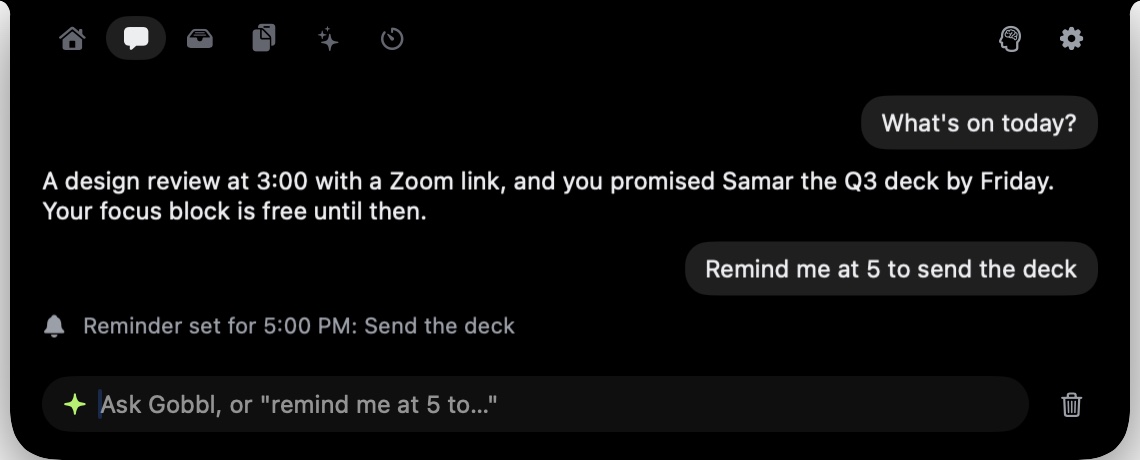
Ten minutes before a meeting starts, Gobbl sends a brief to your Mac notch — a summary of the meeting drawn from your calendar, with no configuration required. If your Mac has a notch or runs macOS 14 or later, it just appears.
This is part of Gobbl's chat feature: a conversational layer inside the notch that handles calendar awareness and reminders. It's separate from the AI agents tab and from dictation; the job here is to keep you oriented through the day without requiring you to leave whatever you're working on.
Asking what's on today
You can open the notch and ask "what's on today?" and Gobbl returns your meetings and any pending to-dos in plain text, inside the notch. The answer appears without opening another app. For days with a dense schedule, that check takes a couple of seconds.
The /g shortcut works for this too: type /g followed by any question in the notch input and the answer comes back in the same place. If you use the Gobbl key (the right Option key on your keyboard), you can reach the chat without touching the mouse — tap it, start typing, ask what's coming up.
The morning brief
Gobbl can show you the shape of your day before you've looked at anything else. The morning brief runs automatically and lists the day's meetings and any to-dos Gobbl is tracking. It appears in the notch when you open it in the morning, without a prompt.
The brief is text, not a notification. It doesn't interrupt what you're doing. It sits in the notch, available when you check it, the way the time is available when you glance at a clock. If you're already in the middle of something before you first open the notch, the brief is still there.
For people who want a quick situational overview before email, the morning brief removes one step from the morning routine: instead of opening Calendar or scanning your inbox for meeting invites, the shape of the day is already in the notch.
Pre-meeting briefs
Ten minutes before each meeting, Gobbl pushes a brief about it to the notch. The timing is deliberate: early enough to do something useful with it — find the dial-in link, finish whatever you're working on, recall what this meeting is actually about — but not so early it pulls your attention out of a long stretch of focus work.
The brief draws on your calendar. The meeting title, its time, and who is invited are all it needs.
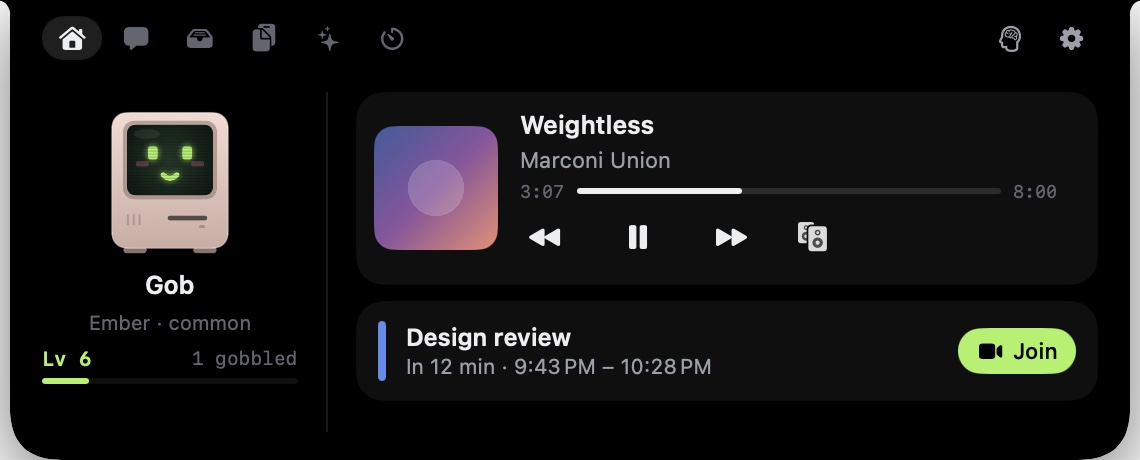
The home tab, with the next meeting and a one-tap Join button.
For the routine calendar — the recurring standups, the one-on-ones, the reviews — the pre-meeting brief is most useful as a nudge: a signal that the next thing is ten minutes away and you should wrap up. For less familiar meetings, it's a prompt to quickly re-read the invite before you join.
Reminders in plain English
The chat input accepts reminders the way you'd say them out loud: "remind me to send that invoice before lunch tomorrow" or "remind me every weekday at 10." Gobbl parses the timing and schedules the reminder. No date format, no separate app, no interaction beyond typing the sentence.
Repeating reminders work the same way. Give the recurrence in natural language and Gobbl handles the schedule. When a reminder fires, it shows up as a nudge in the notch without a full-screen notification.
Gobbl sends at most three nudges a day, and only inside the active hours you set. During focus time, nudges wait until focus ends. So if you're in a 90-minute block, reminders hold — they don't interrupt, they queue.
The evening wrap
At the end of the working day, Gobbl sends a short summary: the to-dos that got checked off, the meetings that passed, and anything unresolved that's carrying into tomorrow. It's not a productivity score. It's a brief note that surfaces loose ends without you having to assemble them from memory.
For people who do a lightweight end-of-day review — mentally account for what happened, decide what goes on tomorrow's list — the wrap handles the mechanical part. The substance of the review stays with you.
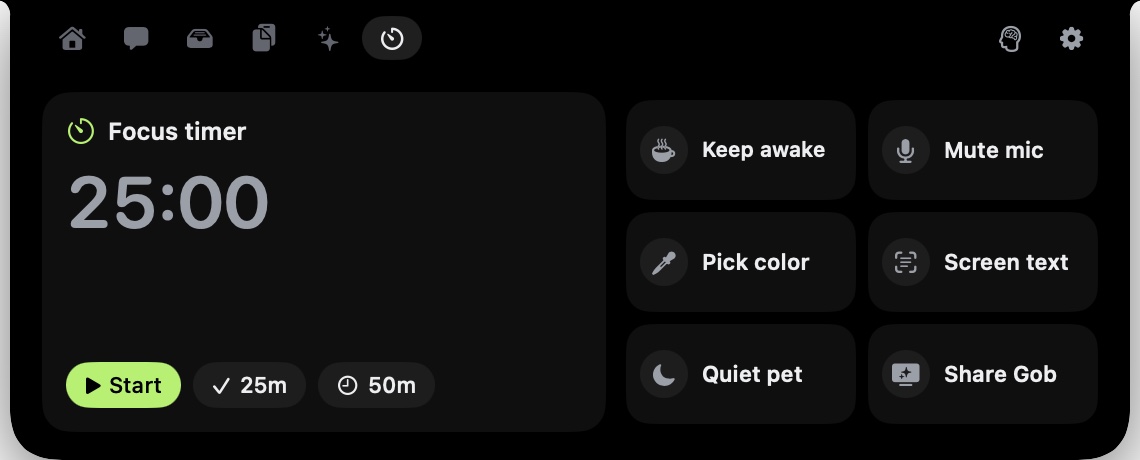
The tools tab, with a focus timer and keep-awake toggle for managing focus blocks.
Getting started
Gobbl is free and open source (MIT licence) and runs on macOS 14 or later. Download it at gobbl.xeve.io. On Macs with a notch, everything lives there; on Macs without one, Gobbl appears as a pill at the top of the screen.
Chat, briefs and reminders are part of the AI features, which are free while the beta runs and will move to a paid plan later. The notch itself, clipboard history, file shelf and Gob the pet are free and don't use the AI service at all. No account is needed to get started.