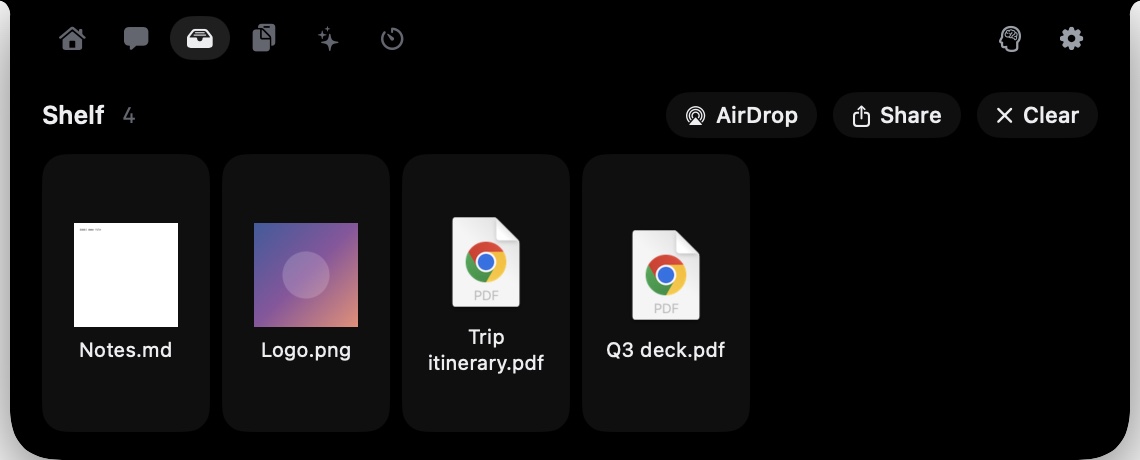
Gobbl's file shelf puts five on-device file tools inside your Mac notch: convert, compress, remove background, copy text, and zip. Drop a file in, process it, drag it out to whatever app needs it — nothing leaves your Mac.
This is one of those features that sounds niche until it saves you from opening a browser tab to do something a browser tab has no business doing. A PDF you need compressed before sending. A screenshot you need background-stripped before dropping into a slide. A scanned document you need the text out of. Each of those used to mean opening another app, or uploading the file somewhere and hoping the site was trustworthy. With the shelf they're all one drag.
The shelf itself
The file shelf lives on its own tab in the Gobbl notch. Drag files onto the notch bar and they land there. Gobbl's site mentions a gesture: shake while dragging a file to make a drop basket appear under your pointer, so you can drop it without aiming at the notch. From the shelf you can drag files out to any other app, send them over AirDrop, share through the system share sheet, or clear the shelf when you're done.
The shelf holds multiple files at once. Think of it as a staging area — you drop things in as you encounter them, process them when you need to, and drag them to their destination.
Five tools, no account
The five tools on the shelf cover the most common one-off file operations:
Convert handles images, PDFs and videos. Pick the input format, pick the output format, get the file. This is HandBrake for a single drag-and-drop, or the Preview Export dialog made faster.
Compress works on the same three types. The use case is the same as ever: something is too large to email or attach, and you need it smaller without finding a dedicated app.
Remove background produces an image with the subject isolated and the background gone. This runs on the device — macOS has had this capability built in since the Vision framework added it, and Gobbl uses it without sending anything out. It's the same technology as the press-to-copy-subject feature in Photos.
Copy text reads the text in an image or PDF and puts it on the clipboard. Scanned documents, screenshots of error messages, a photo of handwritten notes: you get selectable text without retyping it.
Zip combines whatever is on the shelf into an archive. Useful when you need to bundle files before sharing.
None of these need an account. Gobbl itself has no account requirement — you download the app and it works.
On the device means on the device
The on-device part is worth being specific about. Background removal, text recognition, video conversion — these are now table-stakes capabilities for Apple silicon, and Gobbl runs them locally. The file never touches a server.
Gobbl's AI features (writing, chat, Memory) do send data somewhere: through Xeve's service to a provider that doesn't keep it. The file shelf is not one of those features. No network request is made when you compress a PDF or copy text from a screenshot.
This matters more than it sounds. File conversion sites and background removal tools have a long history of being unclear about what they keep. When the processing is on your Mac, the question doesn't come up.
Where this lives in Gobbl
The file shelf is one of several tabs in the notch. The others include a home tab with Gob the pet, Now Playing with lyrics, and your next meeting; a tools tab with a focus timer, keep-awake, and quick utilities; a chat tab for plain-English reminders and daily briefs; and an agents tab that shows Claude Code and Codex status.
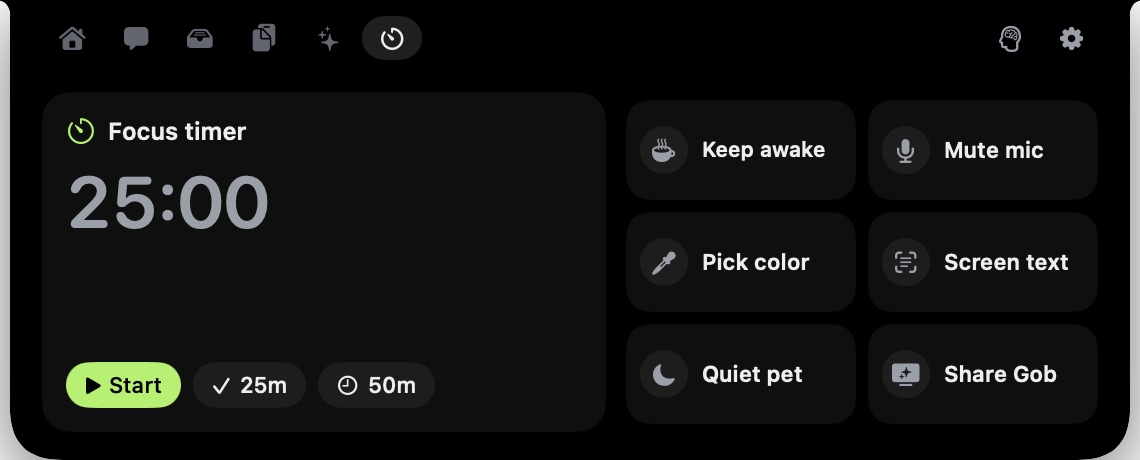 The tools tab: a 25-minute focus timer, keep awake, and quick tools.
The notch is always available on supported hardware. There's no Cmd-Tab, no window to minimize, no dock icon to click. For something like the file shelf — which you need occasionally rather than constantly — that persistent availability is what makes it actually useful rather than just convenient in theory. The file lands in Downloads, you drag it to the notch before you forget to deal with it, and you handle it whenever the moment is right.
Getting it
Gobbl runs on macOS 14 or later. The app is free and open source under the MIT licence, available at gobbl.xeve.io as a notarized DMG. It updates itself automatically. Dictation needs Apple silicon, but the file shelf tools run on both Apple silicon and Intel.
The shelf is there from the first launch. Click the notch or the menu bar icon, find the shelf tab, and drag a file in.