Cribbit's cry alerts fire entirely on the nursery iPhone, using a sound classifier built into iOS. No audio is sent to any server, and no remote service is involved between the cry and the alert reaching you.
That one detail changes the shape of the whole system. It means there's no round trip to a remote server before the alert reaches you, no upstream dependency on the internet being up, and no audio stream stored somewhere you don't control.
Why most monitors do it the other way
Cloud-based cry detection has a sensible origin: running a machine learning model continuously on a mobile device used to be expensive, and pushing audio to a server with more headroom was the obvious fix. The cost was latency — the alert arrives after a round trip to a server and back — and a privacy trade-off that most parents accept without examining closely.
The model that ships with iOS changed the calculation. Apple's on-device sound classification is fast enough and accurate enough that it makes sense to run it locally. Cribbit takes that approach: classification happens on the nursery phone, and the result, not the audio, is what crosses the connection to the parent device.
What the classifier distinguishes
The model doesn't just listen for loud sounds. It classifies what it hears, and a baby's cry has a different acoustic signature from the other sounds that live in and around a home.
Door slams. Dogs barking. Bins going out. A siren a few streets over. These are all loud and sudden, and a threshold-based detector would treat all of them the same. The on-device classifier distinguishes them, which means fewer alerts that turn out to be a neighbour's van.
That specificity matters most at night, when any false alarm costs sleep. A monitor that cries wolf enough times starts getting ignored.
Calibrating to the room
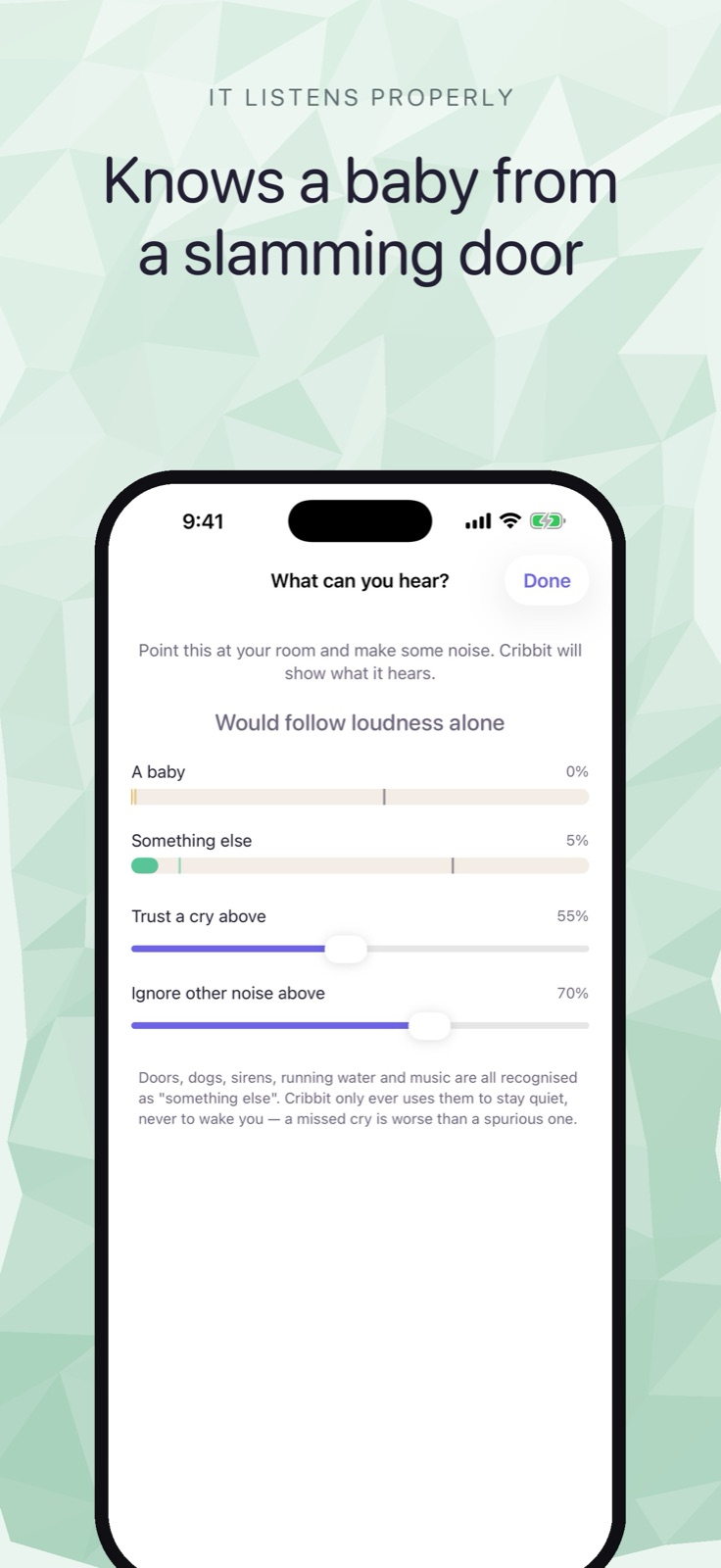
Before the first alert fires, Cribbit asks the nursery phone to listen to the room. The tuning screen shows what the classifier is picking up in real time: the ambient level, the sounds it can identify, the noise floor specific to that space.
A nursery next to a busy road has a different baseline than one at the back of a quiet house. A white noise machine changes the floor substantially. Cribbit sets the alert threshold relative to what's normal in that room, not relative to some average case. The result is that a quiet nursery and a loud one can both be monitored effectively, without tuning thresholds by hand.
This is the screen you see when you first set up the nursery phone: a live view of what the classifier hears, letting you confirm it can tell what's what before you put the phone down.
Live, Stalled and Lost
Cry detection is one layer of what Cribbit watches. The other is whether the feed itself is healthy, which turns out to be harder than it sounds.
A frozen picture is a failure mode that's easy to miss on any streaming monitor. The video looks fine. Nothing moves. Three minutes pass. The feed froze silently at some point, and you've been watching a still image without knowing it.
Cribbit handles this with frame timestamps. Every frame the nursery phone sends carries metadata showing when it was captured. The parent phone compares that timestamp against the clock. If frames keep arriving with the same timestamp, or stop arriving entirely while the connection stays up, it can tell the difference between an active stream and a stalled one.
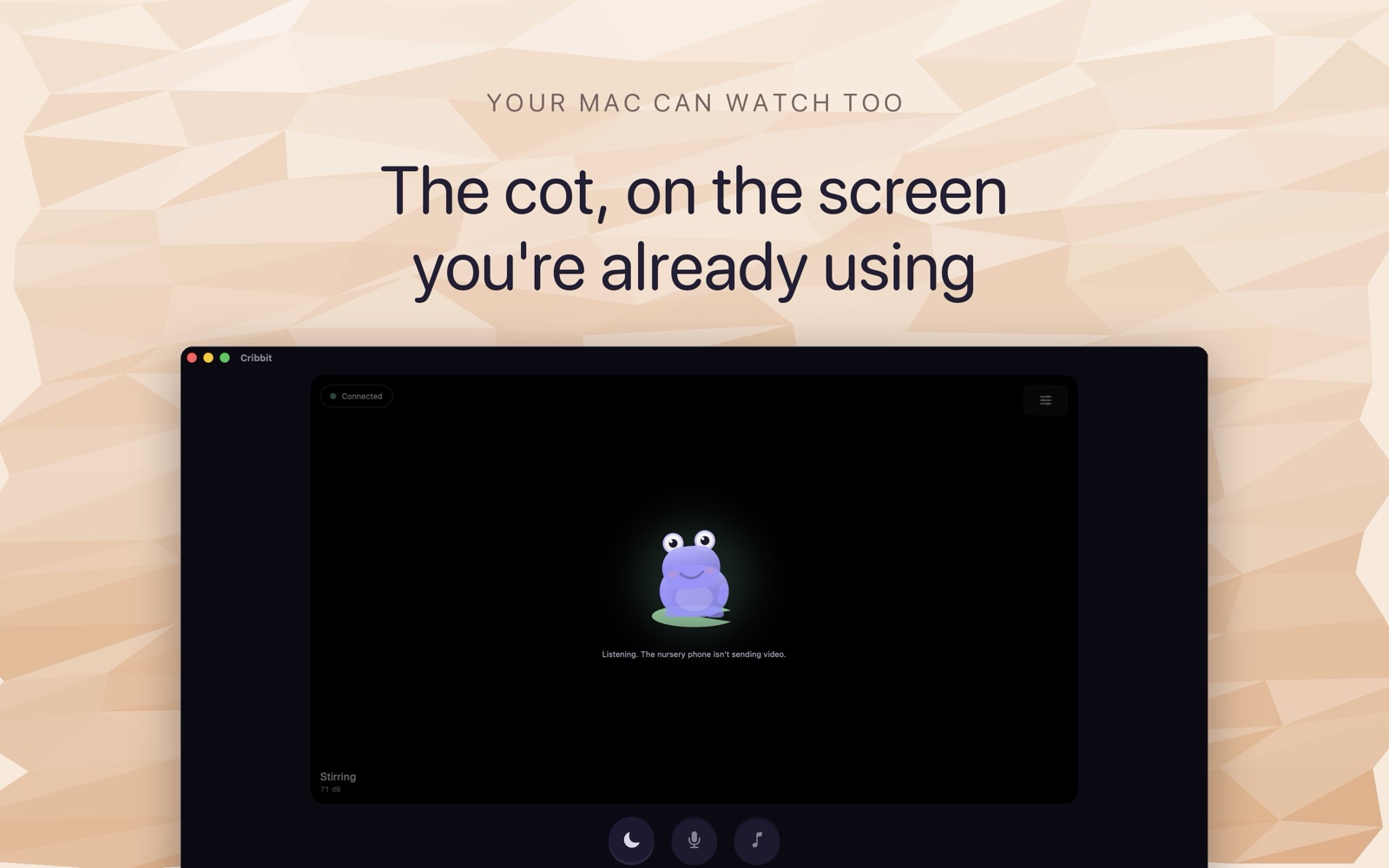 The parent monitor, showing the nursery stream and its current status.
The status line reflects this in real time. Live means frames are arriving and current. Stalled means the stream stopped but the connection to the nursery phone is still up — often the cause is the nursery phone's screen locking and the camera pausing. Lost means the connection itself has dropped, which usually means the devices went out of range or the nursery phone's battery died.
Live versus Stalled versus Lost aren't just labels. They point at different things to check, and checking the right thing first saves time when it's 3am and you're trying to work out why the feed went quiet.
The session key
The audio stream — including the frames the classifier listens to — never travels unprotected. Every session gets a fresh encryption key. When the session ends, the key is gone. Cribbit has no account, so there's no server holding key history, and nothing to be leaked if a server is compromised.
Encryption with a per-session key is table stakes for a monitor you're trusting with your home. It's worth saying explicitly because not every monitor that calls itself "secure" specifies what that means.
What it runs on
Cribbit requires iOS or iPadOS 17 or later. On iPhone 12 or later running iOS 26, the two devices connect directly over Wi-Fi Aware, the same peer-to-peer radio that AirDrop uses, with no router in the path. On older hardware or earlier iOS versions, it falls back to your home Wi-Fi, still without touching the internet.
Cry detection and the frame-timestamp system work the same on both connection types. The audio never leaves the nursery phone, regardless of how the two devices are talking to each other.
Cribbit is in TestFlight beta. You can find the app and the TestFlight link at cribbit.xeve.io. The core monitoring — live video and audio, cry detection, and the Live/Stalled/Lost feed status — is free.